

Table of Contents
- Introduction
- What Is a Film Content Management System?
- The reason why Media teams require a specific CMS is that
- Digital Asset Management (DAM) Systems
- Media Asset Management (MAM) Systems
- Team Project Management CMS.
- Hybrid CMS Solutions
- What is the Best CMS to use with Media Teams?
- The Top 5 Things the Media Teams Do Wrong When Selecting a CMS.
- The way in which a Film CMS can enhance the efficiency of the workflow.
- Remote and Hybrid Media Team CMS.
- Scalability: Beyond One Project Thinking.
- Integration, Editing and Production Tools.
- Cost vs Value: Worth it for a Film CMS?
- Final Thoughts
- FAQs
1. Introduction
In the modern high-paced movie and broadcasting sector, content management is no longer about storing files. Media teams work with huge video files, scripts, storyboards, revisions, subtitles, trailers, and marketing resources–floating across the editors and producers, directors and clients. A Film Content Management System (CMS) comes into change the game here.
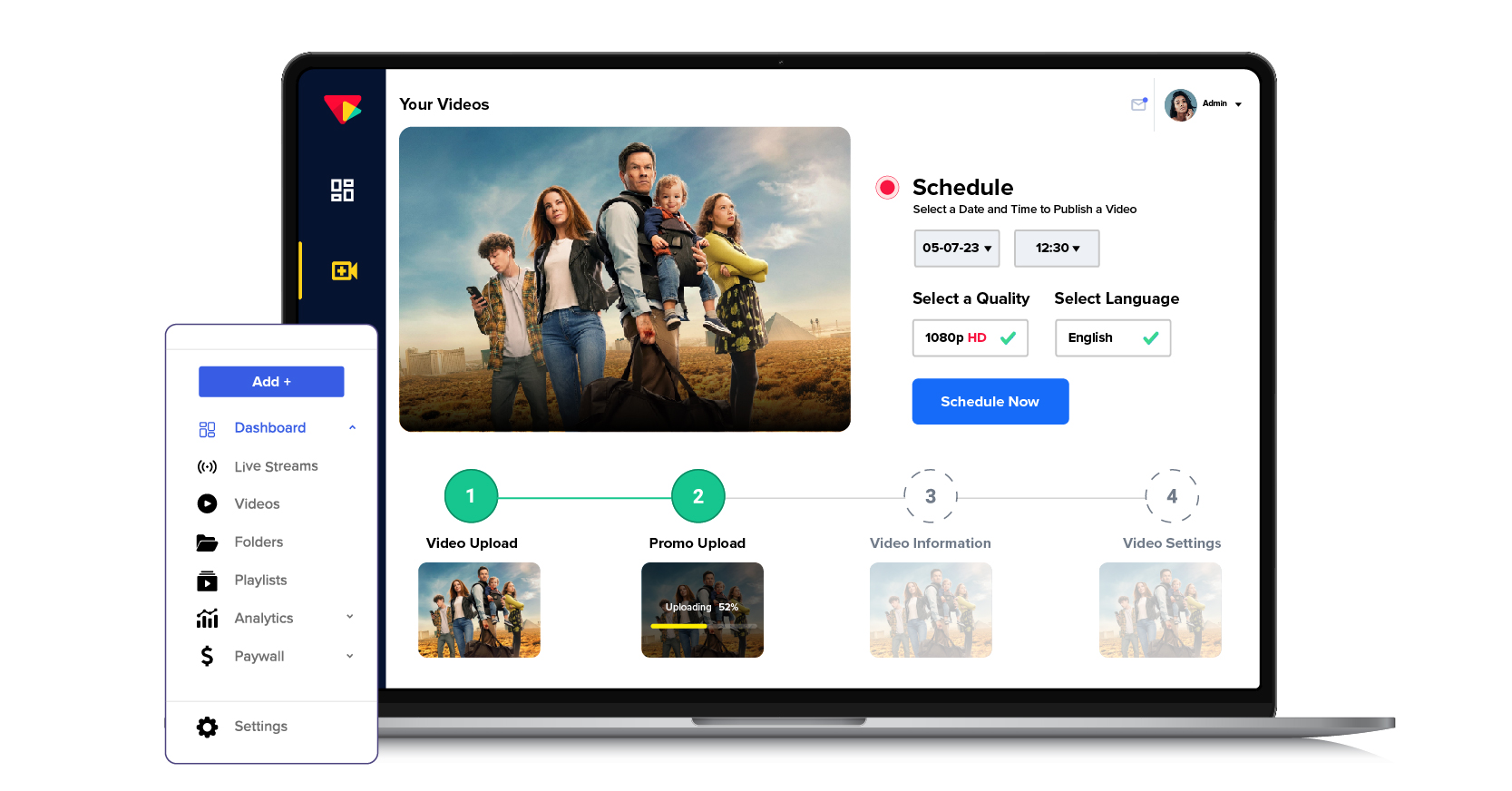
Nonetheless, with the plethora of CMS options available, there is one huge question: what CMS is the most effective for media teams? Let us simplify it in a common discussion and practice. For teams looking to streamline production and collaboration, tools like Rezaid Film Management software provide an all-in-one solution that brings together project planning, asset handling, and team coordination under one platform.
2. What Is a Film Content Management System?
A Film Content Management System is a service platform that is used to organize, store, manage, and distribute media content during the lifecycle of film production. Film CMS platforms are designed to support,, unlike the traditional CMS tools that are used on websites:
Large video files
- Several copies of a particular asset.
- Approvals and team cooperation.
- Keywords, labels, and indexable databases.
- Access and permission security.
Concisely, it maintains your creative messiness.
3. The reason why Media teams require a specific CMS.
Film projects move fast. Perhaps due to the lack of a proper CMS, teams are left to rely on emails, USB drives, Google Drive folders, or random hard disks. That results in the lost files, the old versions, and never-ending confusion.
A good CMS helps media teams:
- Waste less time searching for assets.
- Avoid version mix-ups
- Work seamlessly with people in different locations.
- Protect valuable content
- Elastic production on a large scale.
A CMS is no longer a luxury regardless of whether you are an indie studio or a full-scale production company. The important characteristics that should be considered in a film CMS. And then, to select the most appropriate CMS, one should be aware of what matters to the film and media teams.
Media Asset Management (MAM)
Your CMS must serve as a hub of all of your assets, raw footage, edited clips, audio files, posters and final cuts. Metadata and powerful tagging ensure fast and easy search.
Version Control
Movie projects are subjected to innumerable rewrites. A good CMS would monitor changes and make sure all people are working on the latest version and not the one that was cut last week.
Collaboration Tools
Find such features as comments, annotations, approval workflows, and access based on the roles. They help to keep feedback tidy and remove protracted emails.
Cloud vs On-Premise Storage
Cloud-based CMS solutions enable remote work teams to work together without significant effort, whereas on-premise systems provide more control to studios dealing with sensitive content.
Security and Permissions
Film content is valuable. An effective CMS will have encryption, watermarking and user authorization to avoid leaks.
Most Ideal CMS in Media Teams. Rather than calling either of them a winner, it is wiser to align the type of CMS to the requirements of your team.
4. Digital Asset Management (DAM) Systems
Film teams that concentrate on the organization and distribution of assets are fond of DAM platforms.
Best for:
- Marketing teams
- Post-production teams
- Studios operating massive media stocks.
Pros:
- Very good search and metadata facilities.
- Strong version control
- Sharing with stakeholders easily.
Cons:
- Finite workflows, i.e., production-specific.
5. Media Asset Management (MAM) Systems
MAM systems have been designed to support the high video load workflows, which explains why they are a great choice in film and television production.
Best for:
- Film studios
- Broadcast teams
- Streaming platforms
Pros:
- Fined with huge video files.
- Well-developed video preview and editing.
- Workflow automation
Cons:
- Can be expensive
- Requires training
6. Team Project Management CMS.
CMS tools with project management features are favored by some of the media teams.
Best for:
- Indie filmmakers
- Small-mid-sized production teams.
Pros:
- Task tracking and timelines
- Financial and budgetary control.
- Easy collaboration
Cons:
- Low asset-handling authority.
7. Hybrid CMS Solutions
Hybrid systems are those systems that merge CMS, DAM, MAM and project management features into the same platform.
Best for:
- Remote media teams
- Expanding manufacturing organizations.
Pros:
- All-in-one solution
- Scalable workflows
- Centralized control
Cons:
- May also have unnecessary features.
8. What is the Best CMS to use with Media Teams?
The honest answer? It depends on your workflow.
When your team is oriented on the organization and distribution of media assets, a DAM system is the most suitable.
In case you have to deal with video mass production and broadcasting, a MAM system is the most powerful. A project-based CMS might suffice in case you are more interested in collaboration and monitoring of tasks. Hybrid CMS platforms provide the highest level of flexibility to teams that desire to have everything in a single platform.
The ideal CMS is the one that suits your team size, budget and your production style and not the one with the most features.
9. The Top 5 Things the Media Teams Do Wrong When Selecting a CMS.
To avoid such mistakes, make sure that you do not:
- Selection on the basis of price.
- Leaving prospective scalability aside.
- Ignoring security capabilities.
- Failing to test the system with actual workflows.
Demos should always be tried,, and also your creative team should be consulted.
10. The way in which a Film CMS can enhance the efficiency of the workflow.
Workflow effectiveness is one of the largest benefits provided by the use of a Film Content Management System. A CMS enables the storage of all tools required to communicate, approve, and track, instead of leaping between various tools.
The media crews will be able to post the footage and immediately share it with the editors, sound designers and producers. It is possible to add feedback to files, draw time marks on videos, and monitor approvals in real-time. This minimizes time wastage, poor communication, and smooth flow of projects. Digital Asset Management Explained- Adobe Creative Cloud.
11. Remote and Hybrid Media Team CMS.
The use of remote collaboration has become the new rule in the movie industry. The editors can work at home, the directors can be on-set, and the clients can be in a different country altogether. This is achievable through the use of a cloud-based Film CMS that does not interfere with control.
By having a central access, the team members will be able to easily log in anywhere to see the latest assets and work together without the need to download huge files again and again. This will particularly be helpful when producing on an international basis, working with a freelance team, or when an agency has a large number of clients simultaneously.
12. Scalability: Beyond One Project Thinking.
There are lots of media teams thatselect a CMS depending on their present requirements, but overlook the possible future development. An excellent Film CMS must be scalable to the amount of production.
The more projects you have, the more storage capacity, user permissions, and processes you will have. Scalable CMS services enable you to add and remove users, storage, and new tools, without having to restructure your system. It is time and money saved in the long run in terms of future-proofing. Video Workflow Automation Insights – Avid Resource Center.
13. Integration, Editing and Production Tools.
The other reason why a CMS is a powerful tool is its capability to be integrated with industry-standard tools. Other Film CMS systems are linked to video editing programs, cloud storage systems and marketing systems.
Such integrations minimise manual efforts, avoid second uploads, and provide the flow of assets between production and post-production, as well as between distribution. This amount of automation is of great benefit to media teams with tight deadlines.
14. Cost vs Value: Worth it for a Film CMS?
Investment in a Film Content Management System might be costly at first sight, particularly to small teams. Nonetheless, the value becomes obvious when you think about the time saved and the number of errors reduced, enhanced cooperation, and greater security of the assets.
The lost files, duplication of work and miscommunication tend to cost even more than the CMS. A CMS can soon pay itself off by making operations lean and enhancing productivity in most media teams.
15. Final Thoughts
A Film Content Management System is not a software product; it is a media production engine in the modern age. The appropriate CMS can simplify its workflows, enhance the cooperation and secure your creative practice.
Instead of enquiring about the best CMS, you must ask about the best CMS in relation to my media team. After answering that, it is far less difficult to choose. Understanding how Rezaid Film approaches media project management can help teams see how design-driven features and intuitive workflows reduce confusion and keep projects moving efficiently.
16. FAQs
Does a film CMS differ from a regular CMS?
Yes. The film CMS systems are developed to support massive media files, video processions, versioning, and collaboration among teams, compared to a traditional web CMS tool of the web.
Can small film teams use a CMS?
Absolutely. Numerous CMS systems can be expanded and can be utilized by indie filmmakers, freelancers and small studios.
On-premise or cloud CMS, which is more preferable?
Remote collaboration is best suited to Cloud CMS, whereas more control and security are provided to large studios through on-premise CMS.