

Table of Contents
- Introduction
- The Reason You Should Use Software to Manage Video Files
- The Features to Consider When Purchasing Video File Organization Software
- Best Computer Software to Arrange Video Files (Quickest)
- How Do You Sort and Deal with Footage the Fastest? (The Optimal Workflow)
- Why This System Will Save You Hours Per Week
- Conclusion
- FAQs
1. Introduction
You are a filmmaker, YouTuber, videographer, editor, and even a casual videotaker: you are already aware of the struggle: video files are enormous, untidy, and multiply much faster than you can put them into order.
This day it is all clean, the next day you are drowning in clips entitled Untitled001finalfinal(2).mp4.
So the real question becomes:
How can you sort, manage, and arrange your footage the fastest without spending hours each week?
The solution is to apply the appropriate video organization software and the appropriate workflow.
This blog is then broken down so that you can handle your footage without having to worry about it so much, at the same time, without causing any chaos. In the case of professional video production, one of the main invisible productivity killers is the poor organization of files. It is common for editors to waste their time looking for the clips instead of doing the actual editing. However, with the help of specialized video file organizing programs, the creators can hasten their work, calm down, and let their imagination run wild rather than being overwhelmed by the disorganized files.
2. The Reason You Should Use Software to Manage Video Files.
Video management is not similar to photo or document organizing. Video files are bulkier, more complicated and available in various formats, frame rates, and resolutions.
Under the wrong software, you will be dealing with:
- Disorganized folders
- Duplicate clips
- Corrupted files
- Lost footage
- Slow searching
- Manual time wastage of renaming or sorting.
All that is solved by good organizational software. It provides speed, organization, automation and tranquility. The use of professional video management software eliminates human error right from the start of the workflow. Rather than depending on the leaves of memory or the whims of manual folder naming, modern tools with their powerful features make every clip to be stored, tagged, and even years later, accessible in seconds—thanks to metadata, automation, and smart indexing. Organized footage directly improves the efficiency of the post-production video editing process, allowing editors to locate clips instantly and maintain creative momentum.
3. The Features To Consider When Purchasing Video File Organization Software.
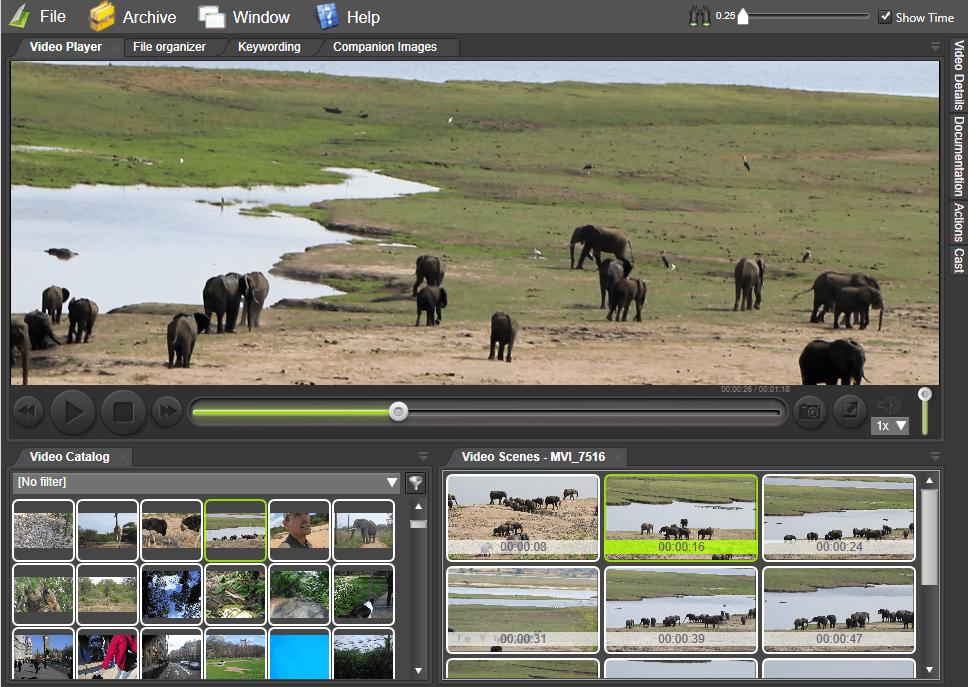
The similarities between video organization tools are not universal. The best and fastest software puts emphasis on automation, the handling of the metadata, and the real-time preview capability. Selection of the right features will guarantee that even large-scale 4K and 6K footage libraries will have smooth performance. However, what is really important before deciding on the quickest means is:
Auto-Sorting & Smart Tagging
Automatic clips categorisation is done based on:
- Date
- Camera type
- Scene or metadata
- Resolution
- Frame rate
- Folder structure
This will alone save you hours per project. By using smart tagging, companies will no longer have to deal with tedious manual tasks, and this will also guarantee uniformity among big groups and projects lasting for a long time.
Proxy & Preview Support
There is no need to open heavy 4K/6K files to see what is in them. Software provides you with a preview at the moment. Proxy workflows have a huge impact on the performance of the system, and the editors are able to use even the machines with the lowest specifications fluently. Thus, the high-resolution footage is handled in a speedy manner.
Cloud Syncing for Backup
Your footage is your asset. It is a time, money, and client loss. At least by now, you have one brace prior to your computer getting struck by lightning, burning down, being taken by an intruder or two, or having your stable data bumped off by dogs knocking strips off your wall.
Search-Friendly Metadata
The software will allow searching by:
- Shot type
- Location
- Camera A/B
- Duration
- Tags
- Characters or interviewees
Good metadata organization makes it possible for large video libraries to be transformed into searchable databases, which means that users can see specific shots right away without having to browse manually.
Duplicate Detection
Two or ten copies of the same clip?
An intelligent system eliminates duplication automatically. Performing CRUD operations with various methods of accessing data can be fun as well.
Marketing Integration of Editing Apps.
An effective tool must be able to relate well with:
- Adobe Premiere Pro
- DaVinci Resolve
- Final Cut Pro
- Avid Media Composer
The editors’ workflow has become smoother and faster thanks to the seamless transition from the organization stage to the editing stage without any disruptions caused by the integration with editing platforms. DaVinci Resolve helps you organize, tag, and manage large video libraries with smart bins and proxy workflows —
4. Best Computer Software to Arrange Video Files (Quickest)
Even speed, automation, and compatibility with professional editing tools are the factors that establish the fastest video organization software. The list provided below is the solutions that are going to be trusted by the industry and widely used among filmmakers, agencies, and production studios across the globe. The following video organization tools are the most efficient and fastest: Davinci Resolve.
DaVinci Resolve – best among editors.
Not only is Resolve an editing tool, but one of the best media management systems.
Why is it the fastest:
- Smart bins auto-sort clips
- Metadata-based organization
- Heavy footage is generated as a proxy.
- Timeline-level grouping
- Built-in renaming tools
A complete all-in-one solution that is perfect when it comes to editors. What is perfect for professionals aiming to simultaneously maximize the advanced quality of video and the convergent excellence of personal media archives is Resolve.
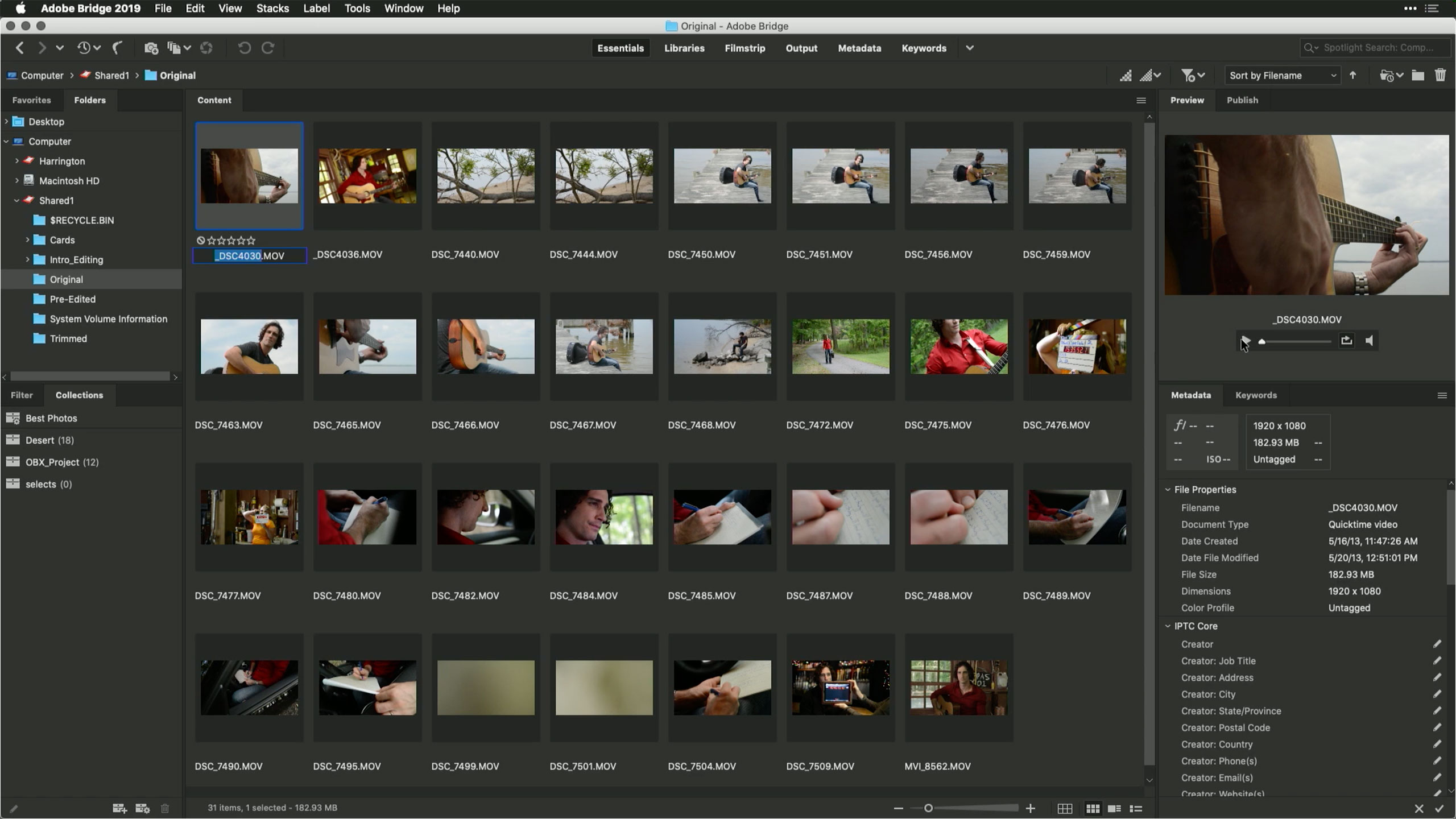
Adobe Bridge – Best in the Adobe Ecosystem for Creators.
A free and powerful scanner and organizer of massive folders.
Why it’s great:
- Batch renaming
- Advanced tagging
- Duplicate detection
- Integration with Premiere Pro is also possible.
For professionals already bought into the Adobe Creative Cloud ecosystem, this one can be quite powerful. Adobe Bridge allows fast batch renaming, metadata tagging, and seamless integration with Premiere Pro — Adobe.
Kyno – Quickest Profootball Manager.
The production companies love Kyno since it is lightning fast.
Top benefits:
- Instant preview of 4K/6K
- Auto-folder organization
- Metadata logging
- Transcoding + subclipping
- Formulates libraries that can be searched.
It is constructed with filmmakers in mind.
Hedge – Best for Backup & Ingest
No complete organizer, but the quickest means of importing and ensuring footage.
- Verifies files
- Makes copies of the media into several drives.
- Nothing corrupts nor gets lost.
A hedge is a necessity in case you are a big project shooter.
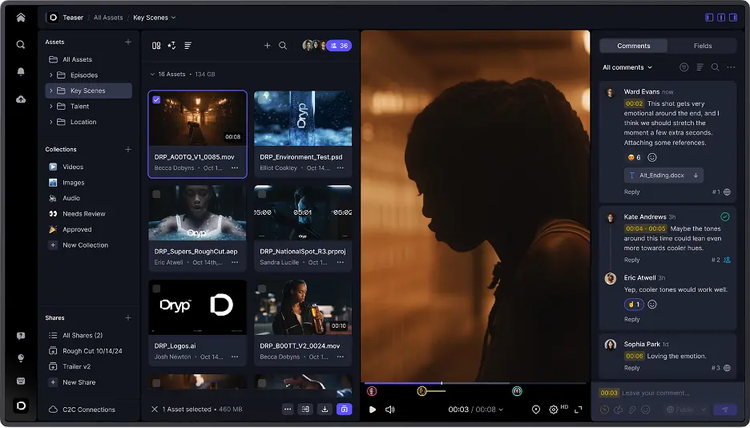
Lucidlink / Frame.io / Dropbox Business
These cloud solutions offer:
- Shared libraries
- Proxy streaming
- Version control
- Remote teamwork
When you use editors, clients, or colorists remotely, these are the fastest.
5. How Do You Sort and Deal With Footage the Fastest? (The Optimal Workflow)
Tools do not solve chaos; the workflow.
The foundation of speed is laid by consistency. The implementation of a repeatable workflow guarantees that every project conforms to the same outline, thus making it effortless to collaborate, revise and archive. The quickest and the industry-standard way to sort your video files is given below:
Step 1: Put all of the footage in a single folder.
Name the root folder clearly:
- ProjectNameDay1CamA
- ProjectNameInterview01
This avoids confusion later.
Step 2: Auto-Sorting with Software.
Apply applications such as Kyno, Resolve or Adobe Bridge to:
- Auto-organize by date
- Separate by camera
- Identify and eliminate duplicates.
- Add metadata tags
- Generate proxies
Those 3 hours of manual labor are reduced to 10 minutes.
Step 3: Rebrand under a Professional Structure.
Use batch renaming:
ProjectSceneCamTake
Example:
BrandFilmSC03CamATK08
This renders searching very easy.
Step 4: Apply Metadata Tags
Tag by:
- Location
- Shot type
- Subject
- Interviewee
- Scene number
Subsequently, searching becomes real-time.
Step 5: Backup Immediately
Use cloud + local backup:
- SSD main drive
- Backup drive
- Cloud backup (Dropbox Business / LucidLink / Frame.io)
Never rely on a single drive.
Step 6: Share with Cloud Workflows.
Instead of sending 50GB files:
- Use preview-only links
- Share proxies
- Restrict downloads
This ensures that everything is quick and safe.
6. Why This System Will Save You HOURS per Week.
- Scoring through file names one after another is no longer necessary.
- No more deleting wrong clips
- No more losing footage
- No more “Where is that shot?”
- No more slow manual sorting
- Client and editors remain in contact in real time.
You can have the right software + workflow to organize the footage much quicker than before. This structured workflow is commonly used by professional filmmakers and production teams who manage large volumes of footage under tight production schedules.
7. Conclusion
The video files management does not need to be overwhelming and time-consuming. You can be able to save your footage in minutes rather than spending hours organising it with the right tools and an intelligent workflow. It is now possible to name, tag, preview your clips, and sort in batch in modern software such as Kyno, Resolve, and Adobe Bridge without needing to do so by hand. Together with cloud backup and a good system of folders, your footage will be easy to locate, easy to share, and completely safe.
An automated system can enhance your productivity and is much more than that; it secures your work, corrects errors and ensures that all projects progress without any hindrance. Structured video asset management systems are a must for professionals who want to be taken seriously in the world of video production and serve as a professional cornerstone.
A well-structured video organization system plays a crucial role in building a professional film production workflow, ensuring that every stage from shooting to post-production runs smoothly without delays.
8. FAQs
Which software is the most appropriate to sort video files fast?
The most reliable and speediest way of handling massive films is Kyno, DaVinci Resolve, Adobe Bridge, and Hedge.
What are the video file structures of the professionals?
They have organized folders, naming, Metadata tagging, proxy preview, and cloud backups, all to maintain everything orderly and searchable.
Is it possible to arrange 4K/6K video without delays?
Yes, you can easily preview and manipulate bulky footage with the help of software that is proxy-supported.
How do you find the video clips in a large project as quickly as possible?
Categorize videos with metadata tags, smart bins, and search filters instead of navigating the video organization software.