Table of Contents
- Introduction
- Why Filmmakers Need Video Collaboration Tools
- Key Features Filmmakers Should Look for in 2026
- Supporting Collaboration Tools for Film Teams
- How Remote Filmmaking Workflows Are Changing
- Choosing the Right Tool for Your Film Team
- Final Thoughts
- FAQs
1. Introduction
Cinematography is a team effort of art. A film would require the efforts of directors, editors, producers, cinematographers, and visual effects artists to work together to bring to life a story. However, in the year 2026, there are no more boundaries to filmmaking in a single studio or location. Teams are not always based in the same city- or even continent.
The film industry has become used to remote production. The collaboration tools can be used in documentaries, in producing YouTube series, and in a feature film, so that you can have everyone connected and productive.
The difficulty lies in the selection of the tools. Video records are huge, the feedback should be accurate, and innovative dialogues should take place right happening. This is why moviemakers use special video collaboration tools used in creative processes.
This blog will discuss the top video collaboration tools that will be used by filmmakers in the year 2026 and how they can use them to work more quickly, wiser, and creatively when working remotely.
2. Why Filmmakers Need Video Collaboration Tools
The idea of remote collaboration is not merely based on communication. They assist the moviemakers in coping with the complicated workflow entailing numerous steps like pre-production, editing, feedback, and final delivery.
Modern tools allow teams to:
- Check and leave comments on real-time edits.
- Share video files of high bandwidth.
- Monitor project activities and progress.
- Get in touch with the members of the team immediately.
- Control copies of videos and cuts.
Remote filmmaking would soon become disorganized without appropriate collaboration tools. One project can consist of hundreds of clips, dozens of updates, and stakeholders.
It is in that case that specialized collaboration tools can be used. Many production teams also rely on cloud systems to store and organize their footage efficiently, which is why understanding how cloud platforms work is important for modern filmmakers.
3. Key Features Filmmakers Should Look for in 2026
Filmmakers must pay attention to the features of remote production that can be facilitated by the collaboration platform they choose before deciding on the type of collaboration to choose.
Frame-Accurate Feedback
Editors and directors frequently have to talk about certain moments in a scene. Time-stamped comment tools enable crews to identify specific frames in a video.
Secure File Sharing
Movies are highly prized and delicate properties. Your content is secured with strong encryption and access controls.
Real-Time Streaming
Some tools enable the collaborators to observe the edits simultaneously, a feature that is handy when conducting real-time review sessions.
Integration with Editing Software
They can be integrated with editing programs such as Premiere Pro, DaVinci Resolve, or After Effects to accelerate operations.
Large File cloud storage.
Powerful cloud storage systems are needed to store high-resolution images, e.g., 4K or 8K.
Now we shall discuss the most effective tools currently utilized by filmmakers.
1. Frame.io – The Video Review Standard in the Industry.
Frame.io is one of the most successful teamwork tools in the film industry nowadays.
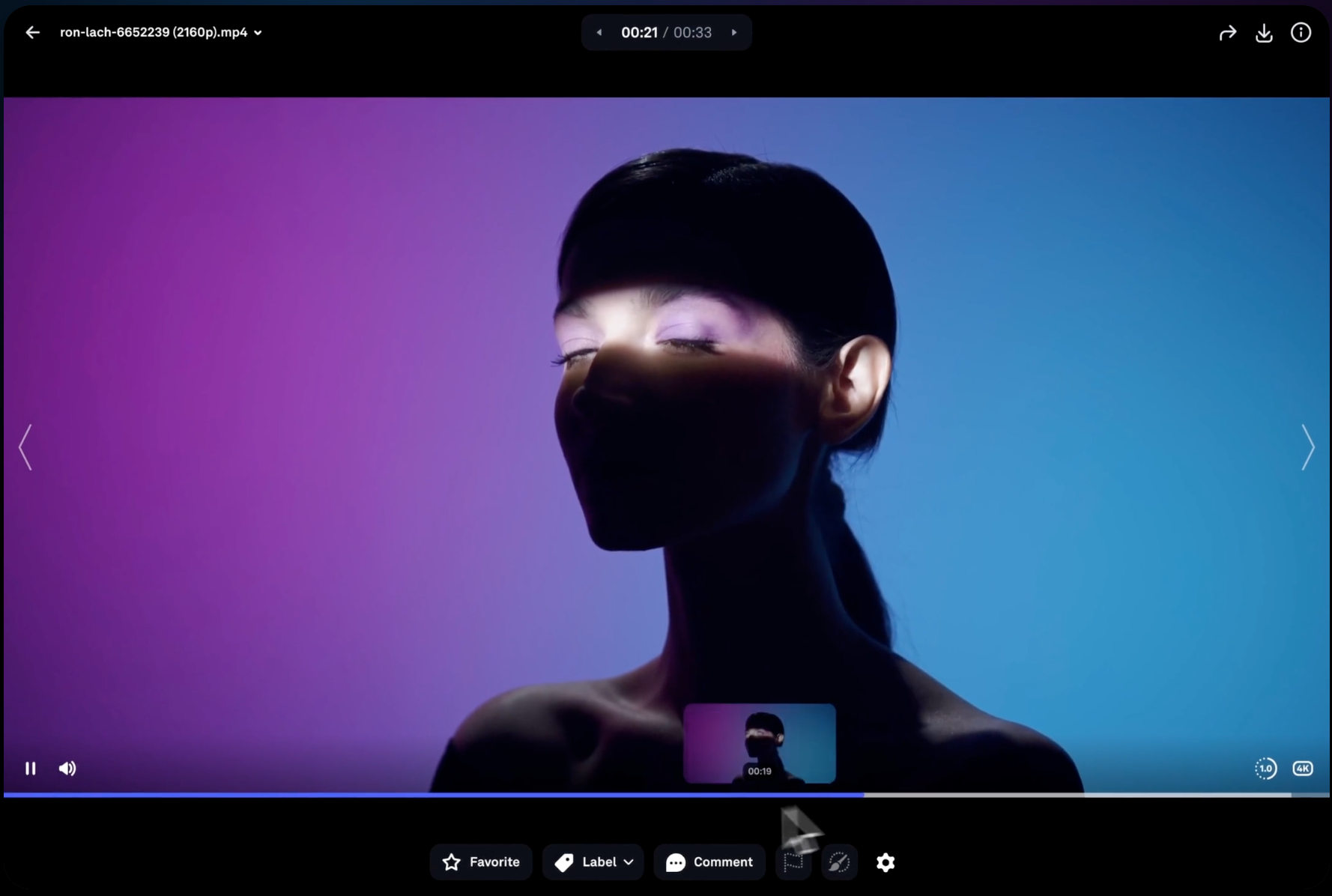
Frame.io enables the editors, directors, rs, and clients to upload the videos, view edits, and comment on the footage where they can add time-stamped comments. This facilitates easy feedback giving in the post-production.
Key features include:
- Frame-based comments and annotations.
- Live client review connections.
- Adobe Premiere Pro and After Effects Integration.
- Secure sharing and high-speed uploads.
Frame.io has also been adopted as a common element in most professional workflows of editing, as it makes it easier to conduct reviews and give approvals to work done.
2. Evercast – Live Remotely editing and streaming.
Evercast is another resource that is a strong platform to use in remote film collaboration.
Evercast has become common in professional studios as it enables teams to stream high-quality video when working together in real-time. Directors and editors are able to view edits jointly and deliberate on edits in real time.
Key features include:
- Ultra-low-latency streaming
- Secure encrypted sessions
- Multi-user viewing sessions
- Connection with the editing software, such as Premiere Pro and Resolve.
Due to its live streaming features, Evercast has been utilized in high-budget films and studio settings.
3. Blackmagic Cloud – Cooperation with DaVinci Resolve users.
Blackmagic Cloud is created with the work of teams operating within the DaVinci Resolve environment.
It also enables several editors and colorists to work in various locations on the same project.
Benefits include:
- Shared project libraries
- Drawbacks: it is costly, requires a significant amount of time, and is difficult to reuse in a different context.
- Disadvantages: it is expensive, it takes a lot of time, and it cannot be applied in a new situation.
- Native connection with DaVinci Resolve.
- Project management in the clouds.
Blackmagic Cloud is one of the most effective collaboration solutions on the market that can be used by teams that are already utilizing Resolve.
4. LucidLink – ideal for sharing huge files of media.
One of the largest issues in remote filmmaking is working with big media files. At that point, LucidLink will be very handy.
LucidLink enables teams to access the files stored in the cloud without downloading them. This saves time and helps in minimizing storage problems.
Important features include:
- Instant file streaming
- Global shared drive access
- Cloud-agnostic storage
- Strong encryption
LucidLink can significantly enhance the efficiency of workflows of projects that involve gigantic libraries of 4K or 8K footage.
5. ShotGrid – Intense Pipeline Administration.
In the case of bigger film and animation projects, Autodesk ShotGrid is used to offer advanced project management and pipeline monitoring. ShotGrid assists studios in dealing with intricate processes with dozens or even hundreds of artists.
Key features include:
- Time tracking and manufacturing control.
- Version control for assets
- Integration with VFX tools
- Workflow automation
ShotGrid is used by several VFX studios to ensure the production is on schedule.
6. Loom – Creative Team Toolkit Video Messaging.
Not all discussions need a meeting to take place completely. It is sometimes better explained at a glance.
There, the Loom comes in handy. Loom gives users the ability to record their display and webcam to discuss and provide feedback.
Key benefits include:
- Quick screen recording
- Video sharing through linking instantly.
- Video trimming tools
- Viewer analytics
The tool comes in handy,y particularly where a team operates in many time zones. To manage thousands of video files, editors and producers often depend on digital asset management systems that keep media organized and easy to access across teams.
4. Supporting Collaboration Tools for Film Teams
In addition to video- specific tools, general collaboration tools are also used by remote teams to coordinate communication and planning.
Popular options include:
- Slack for team messaging
- Asana for task management
- Brainstorming by drawing pictures.
These tools assist in keeping teams in order on the schedule and working together across locations creatively. Many filmmakers use professional review platforms to simplify feedback and collaboration. Platforms like Frame.io explain how modern teams manage video review workflows efficiently.
5. How Remote Filmmaking Workflows Are Changing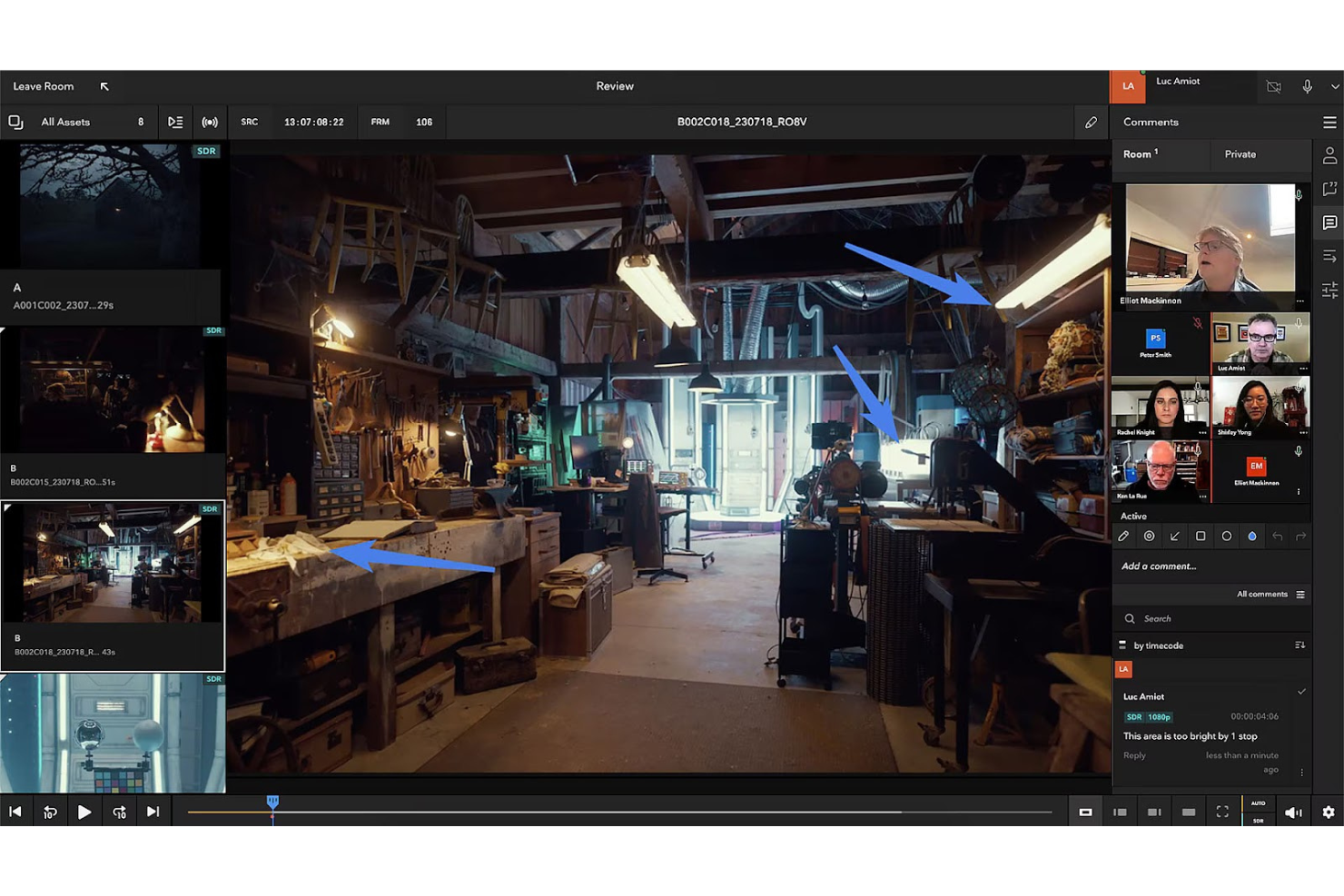
The filmmaking processes are changing with the rise of technology. The teams of today can work all over the world without losing control of creativity.
The influences of remote collaboration are some trends such as:
Cloud editing
Working on the same project at a different location becomes possible for the editors.
Real-time feedback
Directors are able to see edits in real time without having to wait till they are exported.
AI-powered tools
AI is beginning to handle processes such as transcription, tagging, and media organization, among others, automatically.
Such innovations enable filmmakers to create more movies at a rapid pace without compromising on the quality of production.
6. Choosing the Right Tool for Your Film Team
Different collaboration tools are the best depending on the size of your team and the kind of project you are carrying out.
For example:
- Minor producers or YouTubers: Frame.io or Loom.
- Professional editors: Blackmagic Cloud or Evercast.
- Large productions: ShotGrid
- Groups managing gigantic files: LucidLink.
- Teams use several tools together in most instances to make up a complete workflow.
Remote filmmaking workflows are evolving quickly, and industry experts regularly discuss new collaboration technologies and editing practices on platforms like No Film School.
7. Final Thought:
Remote filmmaking is not the future anymore; it is the present. With the increased dispersion of production teams, collaboration tools have become essential in maintaining the organisation and the smooth running of a project and creative workflows.
Frame.io, Evercast, Blackmagic Cloud, and LucidLink are platforms that enable filmmakers to make edits, exchange footage, age, and communicate in real-time. These platforms, together with project management and messaging tools, form a very strong ecosystem for modern film production.
In order to get your remote staff operating efficiently in 2026, it is important to invest in the proper video collaboration tools. Having the right technology will mean that the filmmakers can work in any part of the world and still come up with amazing stories.
8. FAQs
What is a video collaboration tool?
A video collaboration tool is software that enables groups to review, edit, comment, and share video content remotely.
What is the most suitable tool with film editors?
Frame.io is among the most useful tools for an editor in that it gives a response with frame accuracy, and it is compatible with editing software.
Is it possible to work together with filmmakers remotely?
Yes. The contemporary cloud software enables filmmakers to work together regardless of their locations when sharing files, reviewing edits, and working on projects.
Do video collaboration tools offer a sense of security?
The majority of the professional tools have encryption, secure sharing links, and access controls to secure media files.