In the modern high-paced movie and broadcasting sector, content management is no longer about storing files. Media teams work with huge video files, scripts, storyboards, revisions, subtitles, trailers, and marketing resources–floating across the editors and producers, directors and clients. A Film Content Management System (CMS) comes into change the game here.
Nonetheless, with the plethora of CMS options available, there is one huge question: what CMS is the most effective for media teams? Let us simplify it in a common discussion and practice. For teams looking to streamline production and collaboration, tools like Rezaid Film Management software provide an all-in-one solution that brings together project planning, asset handling, and team coordination under one platform.
A Film Content Management System is a service platform that is used to organize, store, manage, and distribute media content during the lifecycle of film production. Film CMS platforms are designed to support,, unlike the traditional CMS tools that are used on websites:
Large video files
Concisely, it maintains your creative messiness.
Film projects move fast. Perhaps due to the lack of a proper CMS, teams are left to rely on emails, USB drives, Google Drive folders, or random hard disks. That results in the lost files, the old versions, and never-ending confusion.
A good CMS helps media teams:
A CMS is no longer a luxury regardless of whether you are an indie studio or a full-scale production company. The important characteristics that should be considered in a film CMS. And then, to select the most appropriate CMS, one should be aware of what matters to the film and media teams.
Your CMS must serve as a hub of all of your assets, raw footage, edited clips, audio files, posters and final cuts. Metadata and powerful tagging ensure fast and easy search.
Movie projects are subjected to innumerable rewrites. A good CMS would monitor changes and make sure all people are working on the latest version and not the one that was cut last week.
Find such features as comments, annotations, approval workflows, and access based on the roles. They help to keep feedback tidy and remove protracted emails.
Cloud-based CMS solutions enable remote work teams to work together without significant effort, whereas on-premise systems provide more control to studios dealing with sensitive content.
Film content is valuable. An effective CMS will have encryption, watermarking and user authorization to avoid leaks.
Most Ideal CMS in Media Teams. Rather than calling either of them a winner, it is wiser to align the type of CMS to the requirements of your team.
Film teams that concentrate on the organization and distribution of assets are fond of DAM platforms.
Best for:
Pros:
Cons:
MAM systems have been designed to support the high video load workflows, which explains why they are a great choice in film and television production.
Best for:
Pros:
Cons:
CMS tools with project management features are favored by some of the media teams.
Best for:
Pros:
Cons:
Hybrid systems are those systems that merge CMS, DAM, MAM and project management features into the same platform.
Best for:
Pros:
Cons:
The honest answer? It depends on your workflow.
When your team is oriented on the organization and distribution of media assets, a DAM system is the most suitable.
In case you have to deal with video mass production and broadcasting, a MAM system is the most powerful. A project-based CMS might suffice in case you are more interested in collaboration and monitoring of tasks. Hybrid CMS platforms provide the highest level of flexibility to teams that desire to have everything in a single platform.
The ideal CMS is the one that suits your team size, budget and your production style and not the one with the most features.
To avoid such mistakes, make sure that you do not:
Demos should always be tried,, and also your creative team should be consulted.
Workflow effectiveness is one of the largest benefits provided by the use of a Film Content Management System. A CMS enables the storage of all tools required to communicate, approve, and track, instead of leaping between various tools.
The media crews will be able to post the footage and immediately share it with the editors, sound designers and producers. It is possible to add feedback to files, draw time marks on videos, and monitor approvals in real-time. This minimizes time wastage, poor communication, and smooth flow of projects. Digital Asset Management Explained- Adobe Creative Cloud.
The use of remote collaboration has become the new rule in the movie industry. The editors can work at home, the directors can be on-set, and the clients can be in a different country altogether. This is achievable through the use of a cloud-based Film CMS that does not interfere with control.
By having a central access, the team members will be able to easily log in anywhere to see the latest assets and work together without the need to download huge files again and again. This will particularly be helpful when producing on an international basis, working with a freelance team, or when an agency has a large number of clients simultaneously.
There are lots of media teams thatselect a CMS depending on their present requirements, but overlook the possible future development. An excellent Film CMS must be scalable to the amount of production.
The more projects you have, the more storage capacity, user permissions, and processes you will have. Scalable CMS services enable you to add and remove users, storage, and new tools, without having to restructure your system. It is time and money saved in the long run in terms of future-proofing. Video Workflow Automation Insights – Avid Resource Center.
The other reason why a CMS is a powerful tool is its capability to be integrated with industry-standard tools. Other Film CMS systems are linked to video editing programs, cloud storage systems and marketing systems.
Such integrations minimise manual efforts, avoid second uploads, and provide the flow of assets between production and post-production, as well as between distribution. This amount of automation is of great benefit to media teams with tight deadlines.
Investment in a Film Content Management System might be costly at first sight, particularly to small teams. Nonetheless, the value becomes obvious when you think about the time saved and the number of errors reduced, enhanced cooperation, and greater security of the assets.
The lost files, duplication of work and miscommunication tend to cost even more than the CMS. A CMS can soon pay itself off by making operations lean and enhancing productivity in most media teams.
A Film Content Management System is not a software product; it is a media production engine in the modern age. The appropriate CMS can simplify its workflows, enhance the cooperation and secure your creative practice.
Instead of enquiring about the best CMS, you must ask about the best CMS in relation to my media team. After answering that, it is far less difficult to choose. Understanding how Rezaid Film approaches media project management can help teams see how design-driven features and intuitive workflows reduce confusion and keep projects moving efficiently.
Yes. The film CMS systems are developed to support massive media files, video processions, versioning, and collaboration among teams, compared to a traditional web CMS tool of the web.
Absolutely. Numerous CMS systems can be expanded and can be utilized by indie filmmakers, freelancers and small studios.
Remote collaboration is best suited to Cloud CMS, whereas more control and security are provided to large studios through on-premise CMS.
Cinematography has always been creative and organized. Although storytelling, images and acts are still central to the film, the filmmakinghas radically shifted. Speed is as important as creativity in the current fast-moving industry. Strict time constraints, constrained budgets, distance-based teams, and increasing demands of the audience have left filmmakers no longer able to use scattered tools and manual operations.
Here is where the digital workflow solutions of filmmakers come into the picture. Digital workflows are redefining the way in which films are produced, whether in planning and scheduling collaboration or post-production. They do not eliminate creativity – they secure it by eliminating the redundant delays, misunderstandings and paperwork. We will discuss digital workflow solutions in this blog, the way they operate, and most importantly, how they greatly enhance the speed of production without interfering with quality. Explore a media production management tool that centralizes planning, collaboration, and asset control — see here: Rezaid Film.
Digital workflow solutions are computer-based programs that assist filmmakers to handle, arrange, distribute and manage all the aspects of the production procedure within a single connected space. Digital workflows are used in place of having different tools to use scripts, schedules, files, communication, and approvals.
These are solutions which usually include:
The overarching objective is easy to understand, and it is to minimize friction. When information circulates easily among individuals and departments, then work would be completed at a rapid rate and with minimal errors. For an overview of digital workflows in film and media production: Studiobinder.
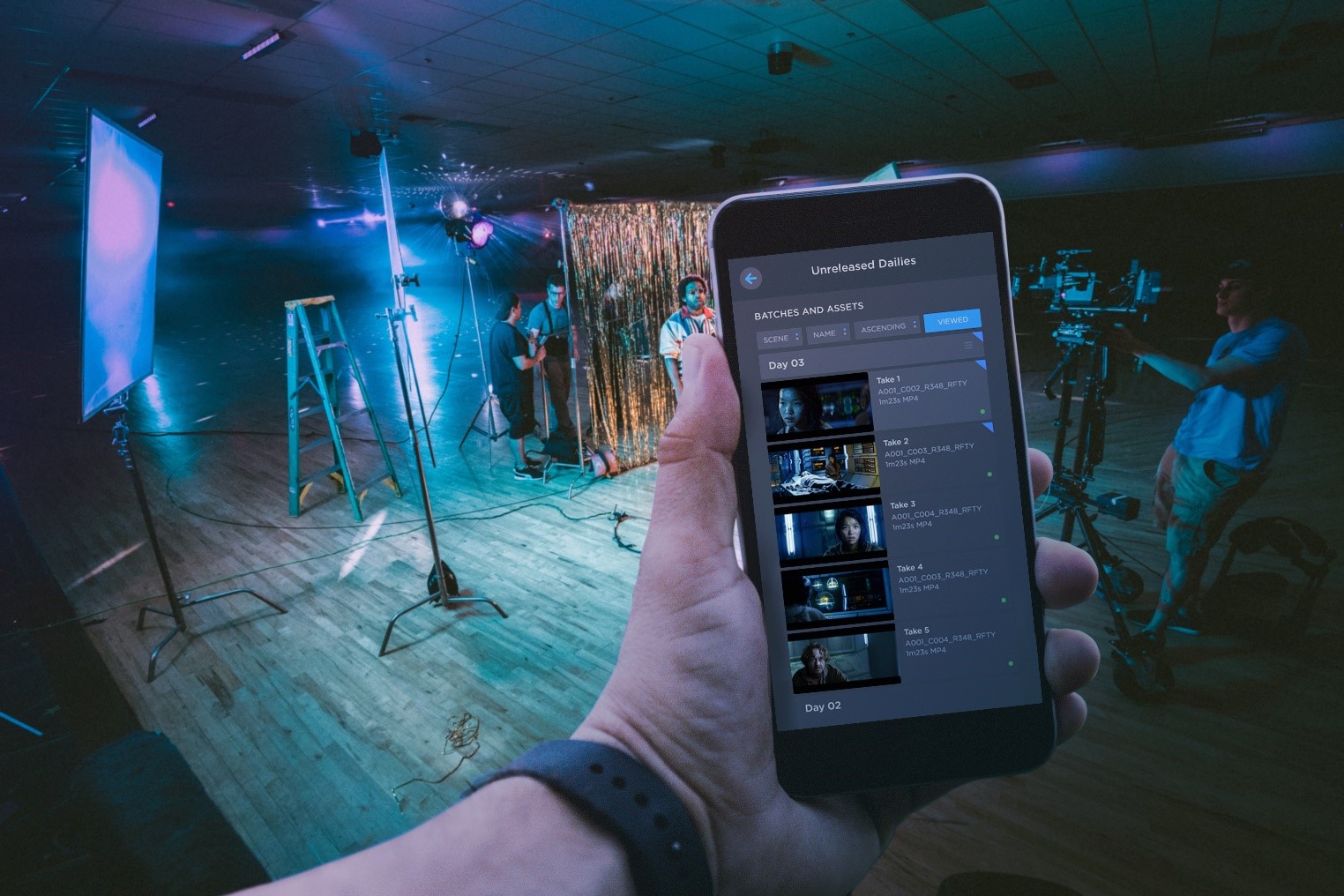
The production of films used to be based on manual and uninterconnected systems before the digital tools emerged. Manuscripts were published and republished. Spreadsheets had schedules updated in them. The files were stored on hard drives. The feedback was provided via emails, phone calls or in writing.
This strategy brought a number of issues:
Experienced teams could slow down just because the process of working was not pre-designed to be fast. It is precisely these problems that were addressed by the creation of digital workflow solutions.
Looking for information is one of the largest time-wastes in filmmaking. Creating schedules, footage, and documents in a variety of locations, teams spend hours simply attempting to locate what is required of them.
The digital workflow solutions centralize all of it. No one knows where to find:
This unique source of truth will remove confusion and allow the teams to continue without unnecessary delays. For best practices on digital workflow and collaboration tools in filmmaking: No Film School.
The pre-production determines the speed of the whole project. Delays in this case spread out across the production.
Digital workflow tools accelerate pre-production by:
Filmmakers, more than ever, can make amends and proceed without losing the wind because they can build and modify plans as and when changes take place.
In conventional work processes, one is likely to pull, as they wait to receive feedback or approvals. This waiting time is eliminated by digital tools of collaboration.
With cloud-based workflows:
This particularly comes in handy with contemporary productions, whereby teams are dispersed. There is night-shift work not halted to make handovers.
One of the largest reasons of slowdown of production is miscommunication. Necessary messages are lost in email or hidden in chat threads.
Digital workflow solutions centralize the communication by:
With all the information on what and why, there are fewer mistakes to be made, and fewer mistakes will be made, the more it is produced.
Working with high media files has been a problem in filmmaking. Conventional techniques are in terms of copying files, manual uploading and handling of multiple versions.
The digital asset management systems enhance speed by:
Filmmakers are able to create rather than spend time handling files.
Inefficient review cycles usually slow the post-production. Editors send files to be reviewed, export files, and repeat the procedure.
This is changing with digital review platforms, which are transforming by allowing:
This reduces the time of revision and assists teams in locking edits faster.
A lot of other production activities are repetitive in nature – updating schedules, call sheets, tracking tasks. These processes are automated in terms of digital workflows.
Automation helps by:
Automatic handling of the administrative work enables production teams to move more quickly and with reduced stress.
For Small Teams
Small crews work with the assistance of digital workflows:
For Large Studios
Large studios benefit from:
Regardless of the size, the outcome remains similar; the production will be faster and smoother.
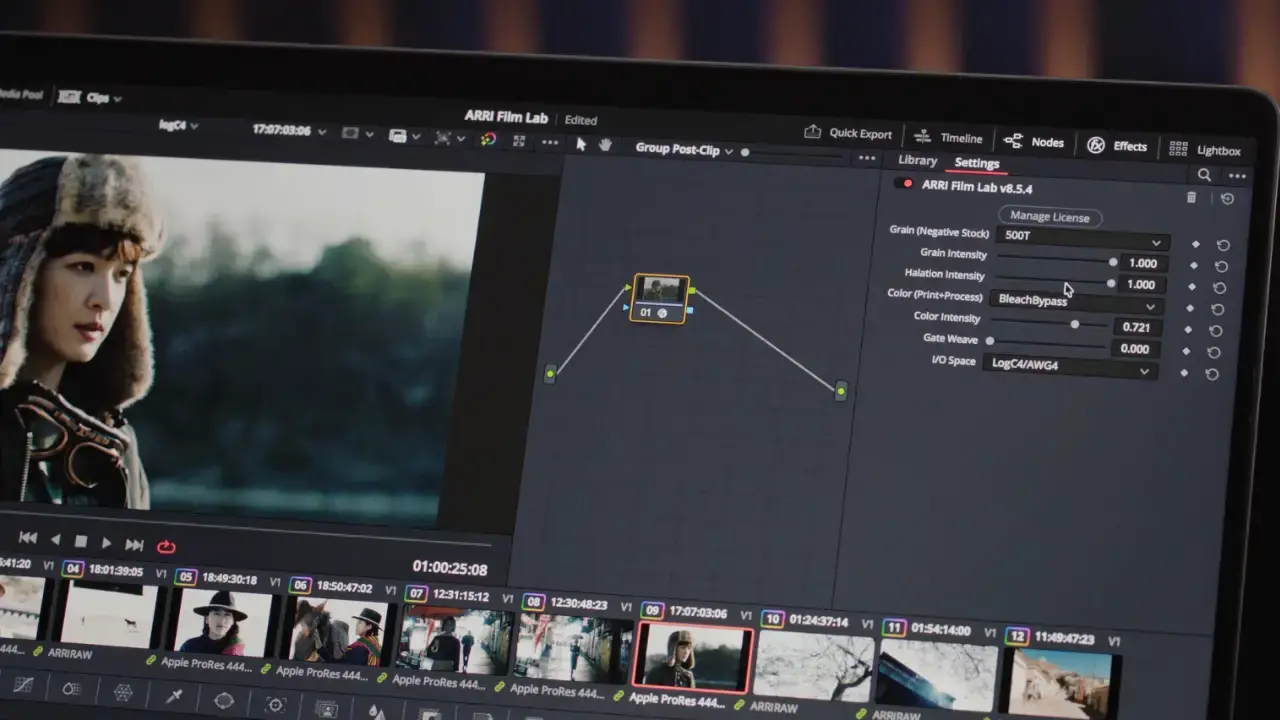
One of the concerns that has been raised is that digital systems may limit creativity. Quite on the contrary, the contrary holds.
Digital workflow: By eliminating logistical nightmares, digital workflow:
Speed does not mean hurrying creativity; it means getting rid of the various roadblocks that aren’t necessary.
Digital workflow solutions have transformed the filmmakers, who desire to work faster without compromising on quality. These tools revolutionize the production process by centralizing information, enhancing cooperation, automation of routine processes, and shortening approvals.
Digital workflows enable filmmakers to be organized, to adjust to changes, and to complete their projects on time, which is vital in an industry where time indeed is money. It doesn’t matter what you are making: a short film, a documentary, or a big production; the adoption of the appropriate digital workflow is not only about efficiency but also about the safeguarding of your creative vision and the acceleration of the process of its implementation. Learn why a dedicated film management platform was created to solve industry workflow challenges —Rezaid Film.
The digital workflow solutions refer to software that assists filmmakers with organization, planning, collaboration, assets, communication, and post-production in a centralized and structured manner.
Yes. Digital workflows greatly minimize delays in all production phases by helping reduce the number of manual operations, enhancing communication, and accelerating approvals.
Absolutely. A large number of digital tools are flexible and scalable, and thus, they are suitable for indie filmmakers who have to work with small teams and minimal budgets.
Nowadays, the process of sharing video files between an editor and a director in the same room is not the only method of sharing such files. Filmmakers today work together with remote editors, colorists, sound designers, clients and different cities or, in some cases, different continents. This has necessitated secure video file-sharing platforms to be a necessity, and not a luxury. Movietapes are prized intellectual property. This is why directors need to select the platforms that focus on security, speed, and collaboration without destroying quality.
This blog will discuss why a video file sharing platform is secure, why filmmakers require specialized solutions, and what platforms are regarded as the safest to use now for professional usage. Many modern productions rely on professional film production services that combine secure file sharing with efficient collaboration across remote creative teams.
Video files do not look like normal documents. They are big, tender and not always published properties, which are months of creative efforts and huge budgets.
Without the appropriate security, the filmmakers are at risk of:
Video file sharing systems are secure, and they ensure that your footage is encrypted, has access controls, version history, and permission sharing. These security measures will guarantee that the right people access the right files at the right time. Secure file sharing has become a core part of modern filmmaking workflows, especially when multiple stakeholders access sensitive footage.
Not every file-sharing platform is designed to support work with videos on a professional level. These security features are important and should be considered by filmmakers before deciding on a platform:
End-to-end encryption provides AES encryption of uploaded files, storage and downloading. Even when data is intercepted, it is incomprehensible without permission.
The feature of giving permissions, like view only, comment only, or download access, allows for protecting the unauthorized use or distribution of footage.
Enterprise-grade cloud servers with redundancy, firewalls, and regular security audits are used in the professional platforms to prevent breaches or loss of data.
Monitoring the access, editing or downloading of files allows accountability and eliminates confusion due to the presence of old versions.
Access to full-resolution files would be avoided by downloading a lightweight proxy version on secure platforms, which would reduce the risk of exposure.
A great number of filmmakers use simple cloud storage. Although these platforms can be useful in small projects, they do not always have the highly qualified security and working process characteristics required in professional filmmaking.
Common limitations include:
Professional video file sharing sites are developed to serve media processes, which is why they are quicker, safarer and more dependable to filmmakers.
Frame.io is considered to be one of the safest and most user-friendly sites to use by filmmakers nowadays. It is relied upon by studios, agencies and independent filmmakers.
Security strengths:
Frame.io enables professionals to view footage, comment with time-stamps and endorse edits without files being downloaded, eliminating much of the security risk factor. For a professional overview of secure video collaboration and sharing for filmmakers: Frame.io.
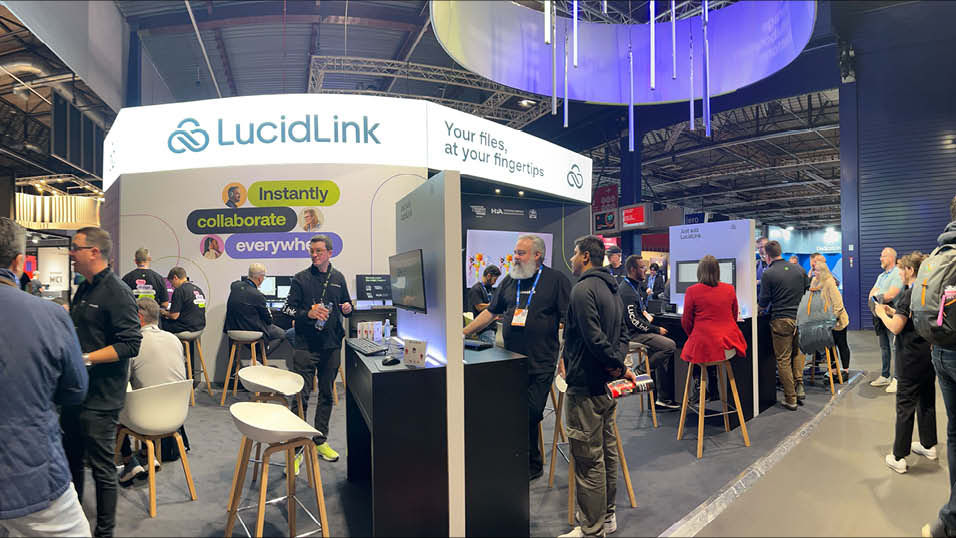
LucidLink is one of the few companies that can provide the experience of accessing files on a cloud as on-premise drive.
Why it’s secure:
LucidLink is overly fast as files are not downloaded but rather streamed, which reduces the potential risk of file leakage.
With the right settings in place, Dropbox Business can be trusted by filmmakers, particularly in delivering to clients and making backups.
Key security features:
Although it is not designed to be a filmmaking tool, Dropbox Business is powerful when used with proxy workflows and comprehensive permission control.
Google Drive has good infrastructure protection. Nonetheless, it should be finely set to address the filmmaking security standards.
Best use cases:
To play the raw video and the resulting masters, more controls and expert platforms are advisable.
Even the safest platform is ineffective when it is used improperly. These best practices, which filmmakers can follow, include:
Security does not only concern tools, but it is also about workflow discipline. For general best practices in secure file sharing in media production workflows: Panda Security.
In addition to security, efficiency is also enhanced by secure video file-sharing environments. Teams benefit from:
Once the security is managed, filmmakers can get to tell their stories and not worry about the safety of their files.
In the case of filmmakers, video file sharing has ceased to be a nice-to-have feature but rather an important component of professional filmmaking. Regardless of whether you are doing a one-minute film, commercial, documentary, or even a large production, safeguarding your footage should be among your priorities.
Such industry leaders as Frame.io and LucidLink not only provide high levels of security but also offer workflows friendly to the filmmaker. Although tools such as Dropbox Business and Google Drive are capable of supporting some of the use cases, video collaboration platforms are most efficient and provide the highest protection level. By selecting the appropriate secure video file sharing system, you not only protect your creative content but also enhance cooperation, develop client confidence and deliver the project in a much easier manner. Choosing the right tools is essential for professional filmmakers and production teams who prioritize both creative quality and data security.
Frame.io and LucidLink are some of the safest because they are encrypted, provide access control and even have workflow support that is specific to media.
Yes, provided that you utilize expert platforms that have encryption, permission controls, and limited downloads.
Yes. Applications that enable the use of proxy streaming enable safe and speedy cooperation without the need for the exchange of full-resolution images.
And, even better, when you have worked on a movie, documentary, commercial, or even a YouTube series with more than a few people on the team, you are already in pain: The countless file transfers, the lost-in-translation feedback, the wrong timeline, and the ever-present question of what version is the most recent. Chaos.
The collaborative film editing platforms come in there. They are designed to make the team work process easier, ensure that everyone is on track, and accelerate the whole editing pipeline, regardless of the location of the team members. In the modern cinematic industry, remote collaboration is not only convenient but it is also obligatory. And as strong tools exist, your work process can be smoother and faster, as well as much more organized.
Now, it is possible to deconstruct the most productive collaboration film editing platforms and the way they enhance the team editing processes. Collaboration is no longer a luxury but a necessity in today’s rapidly changing post-production environment. Creative teams using old ways of sharing files are likely to encounter delays, miscommunication, and creative exhaustion that collaborative editing platforms are meant to solve. Many studios now rely on professional film production services to manage collaborative workflows efficiently from pre-production to final delivery.
The scenario where global teams, remote editors, and strict delivery dates are the everyday reality has made collaborative film editing platforms a necessity for maintaining continuity, accountability, and creative alignment throughout the entire production process.
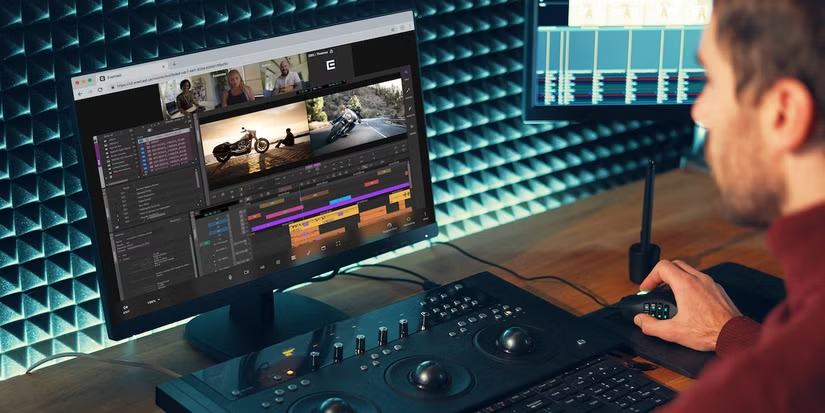
The conventional editing processes tend to appear as follows:
This slows everything down. Chopping down complexities that decelerate production and multiply the probability of costly missteps and missed deadlines is instrumental in the success of your business operations. More teams are moving away from email‑based workflows to purpose‑built collaborative editing systems — as explained in Frame.io’s guide on modern remote video production workflows: Frame.io.
The contemporary collaborative platforms address such problems by providing:
At the same time, access to editors, colorists, and sound designers. When your team is pulled together as one unit rather than looking like a fragmented whole, the project gets 2 times faster with half the confusion. Modern collaboration tools streamline the process by ensuring assets and communication stay centralized, replacing the chaos of confusion with clarity and speed.
The leading platforms for collaborative editing come together to use cloud technology, version control, and real-time communications as a basis to keep creative teams in full synchronization, independent of where they are physically located. Centralized collaboration is a core element of modern post-production workflows for filmmakers, reducing turnaround time and communication gaps.
Frame.io is regarded as the most popular collaborative movie platform in the world. It became an essential part of Adobe and has become a necessity for editors, directors, and producers.
Why It’s Great for Teams
How It Improves Workflow
Frame.io is used to do away with lengthy email trails. Timestamps on all notes left by directors, clients and team members, real-time feedback on the timeline can be viewed by the editors immediately. Frame.io is exceptionally useful in projects with a client element where approvals are required to be clear and feedback is needed quickly. For an industry view of how collaborative editing and real‑time feedback tools are transforming post‑production workflows, check out No Film School’s article on post‑production collaboration: No Film School.
The popularity of LucidLink has stemmed from the fact that teams can now edit directly on the cloud, even large 4K and 6K files.
Why Teams Love It
How It Improves Workflow
Editors can start the cut in minutes as opposed to waiting hours for mega drives to upload or ship. The agencies, large-scale productions, and YouTubers use LucidLink to work in real time.
Team Projects is an effective native collaboration tool in case your team is within the Adobe ecosystem.
Why It’s Useful
Workflow Advantage
It is the best fit that allows many editors to be working on the same project, and the editors do not need to overwrite each other, thus it is ideal when the studio or agency manages fast-paced content.
Blackmagic has created an amazing multitasking framework within DaVinci Resolve, particularly where the entire film pipeline crew is involved.
Features Teams Benefit From
Why It Improves Workflow
Resolve enables colorists, sound designers, VFX artists and editors to collaborate in real-time – previously, these tools had to be used separately and handed over.
Avid is still the leader in Hollywood, particularly with big-budget movies and television.
The reason Big Productions prefers it.
Workflow Benefits
The collaborative nature of Avid enables the production of large teams to work on pieces of films or episodes without crashing or loss of media.
Although they are not complete editing systems, cloud storage remains popular with numerous teams to synchronize footage. And combined with highly developed remote file management tools, such as the Rezaid RFM, a team is able to create, store and distribute large media files in a much safer and more efficient way.
Why They Work with Straussforward Arrangements
Workflow Advantage
Even smaller teams or those with a low budget could work well in a collaboration with good proxy workflows. In a collaborative framework to cater to smaller-sized or more budget-conscious teams if the need arises for more efficient use.
The largest improvements you will have are as follows:
Such platforms prove to be very helpful in:
When two or more individuals are necessary to work on the project, you should have a partnering platform.
Film editing platforms that are collaborative have transformed the manner in which teams operate. Rather than having to hand over delays, sloppy feedback, and spending hours on file transfers, you have real-time collaboration, cloud syncing, shared timelines, and smoother communication.
Be it a one-person producer who has clients to serve, a small team that creates frequent content, or a large film crew with huge projects to make, Frame.io, LucidLink, DaVinci Resolve Cloud, and Adobe Team Projects, among others, will dramatically increase productivity.
Adoption of collaborative editing platforms for the growth of a post-production process is very effective. These systems are widely used by professional filmmakers and video production teams handling complex projects with distributed editors.
Frame.io and LucidLink are the most popular due to the real-time syncing and professional cloud processes.
Yes. Such tools as DaVinci Resolve Cloud, Avid, and Adobe Team Projects enable several editors to work in parallel.
Absolutely. Platforms combine high-level encryption and secure data centers to keep your files safe.
Yes — such sites as LucidLink and Frame.io offer proxy files, which render distant high-resolution editing quick and intuitive.
Video content is the main content in the world of the modern fast-paced digital environment, whether it is social media and YouTube or streaming services and marketing campaigns of various corporations. With the increasing complexity and volume of video production, footage management has become one of the largest issues for editors and production teams. At this point, media management software to produce videos is very important.
To editors, time is creativity. The longer it takes to search files or to sort clips or to correct errors of version, the less time is left to tell stories. Current software in video media management assists in facilitating work processes, asset protection, and team collaboration. This blog will discuss the reasons why editors really require media management software and the ways it changes video production processes. To explore how professional workflows improve production efficiency, check out our detailed guide on Video Asset Management Software.
The current video pproductionis performed using the use of several cameras, drones, an audio recorder, graphics files, animations, subtitles, and various file types. Terabytes of data can be produced by one project. In the absence of an organized system, videos are easilduplicated there is a possibility of having a large number of duplicated files with new ones added, and missing deadlines.
In most cases, editors have strict time deadlines. It is a waste of time to search random folders trying to find the right version of a file. Video production media asset management eradicates this mess by sorting content in a centralized and searchable database. It enables the editors to put their creative decisions into consideration and not administration. For a detailed explanation of video asset management in studios, check out StudioBinder’s guide on media management workflows: Studiobinder.
Video production media management software is a digital system that is used to keep, index, access, and dispense video files and other assets in an efficient way. It serves as a central point where all the project files are stored with the relevant metadata, making them easy to find and manage.
In contrast to a simple storage system, professional video production management software will cover such advanced controls as version control, access control, cloud collaboration, proxy workflows, and automatic backups. This will make sure that the editors are always equipped with the right file at the right time.
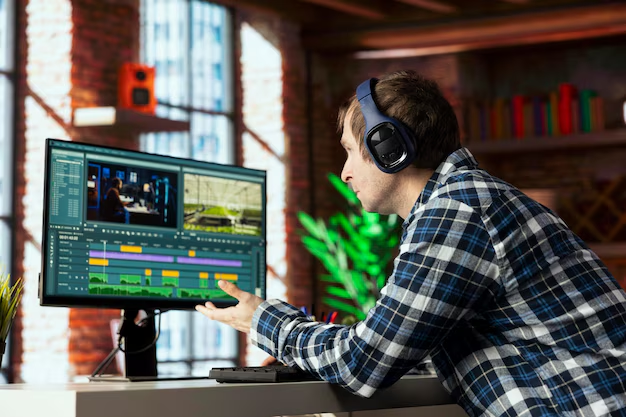
Speed is one of the largest benefits of media management software. Metadata can be added to footage by the editors,ditors which could be project name, date, locatkeywordsra type or scene number. They are also able to search keywords and immediately index the required clip instead of manually browsing the folders.
As an illustration, when an editor requires all the drone shots on a given shoot day, then he or shthemcan access it within a few seconds. Such efficiency goes a long way in enhancing productivity in video production processes.
Video productions nowadays seldom have a single editor. In most cases, directors, producers, sound designers, motion graphicists, and marketing teams are involved in projects. Lacking an appropriate system, file sharing may cause confusion and version clashes.
Video production cloud software for media management enables several team members to update and work on assets at the same time. Controlled permissions also enable teams to view, comment, and update files in real-time. This minimizes misunderstanding and provides a streamlined cooperation.
In professional editing, version control is a very important thing. On numerous occasions, editorproduce various versions of the same work. In the absence of structured management, it is hard to keep track of the final version.
The version histories of the media assets are automatically kept in media asset rollback systems. The editor,s will be aableto from beingre edits, roll back to previous versions, and prevent the file from being overwritten accidentally. This is particularly so in projects involving clients where revisions are usually rampant.
Video files are good digital assets. The loss of information in the form of footage can be a nightmare because of data loss that can occur due to hardware failure or an accidental loss. Video media management software is professional and offers safe storage, automatic backup, and encryption.
Disaster recovery facilities are also available on many platforms, which guarantees that key project files are not lost. In the case of production houses and editors that deal with high-budget customers, data security is not a choice, but a necessity. For insights on cloud-based media management and collaboration for editors, see Frame.io’s professional video workflow guide: Frame.io.
Another significant factor that makes editors use media management sof,tware is automation. File naming, transcoding, proxy generation, and metadata tagging are some of thereducesat can be automated. This lessens the manual work and lowers the errors.
As an example, the system can also automatically create proxy files whenever raw footage is uploaded so that it can be easily edited. Large files do not have to be processed manually because they can be edited instantly.
It might be a nightmare task to coordinate thousands of files in various projects in big production studios. Video production media management software becomes the key to operations.
It assists the houses of production in trac, king the rights of usage, tracking the timetable of the project, and also archives the footage, which could be re-utilized in the future. Previous assets can be accessed in a short time by the editors, thereby saving on time and production costs. This will result in accelerated turnaround and branding uniformity to marketing agencies and contenAn organization
An organization might not appear to be a technical activity, though it directly affects creativity. Once editors do not have to spend much time on seeking assets, they get more spare energy to try storytelling, color grading, sound design, and visual effects.
A properly organised media library enables editors to be creative in their thinking without having to concern themselves with the mismanagement of files. Media management software boosts the output and output of art and design by streamlining the workflow.
The editors have the option to use cloud-based and on-premise solutions according tcloud-baseduirements. Video production management software has cloud-based availability, scale, and simplified collaboration. It is perfect amdistributed teams and freelancers.
On-premise systems, in turn, give more control over hardware and security. This may be considered by lwithios that have the IT in place within them. The two solutions have the same main aim, which is to organize media effectively and securely.
Although it might be costly to invest in media management software in the short term, it will save a lot of cash in the long term. Saved time that is used to search files is equivalent to higher productivity. Fewer mistakes would translate to decreased delays and complaints by clients.
Also, effective management of assets enables studios to recycle the cu,rrent footage to use in later projects. This saves the reshoots and it streamlinespayoffe of resources. To editors and production teams, a high payoff is involved.
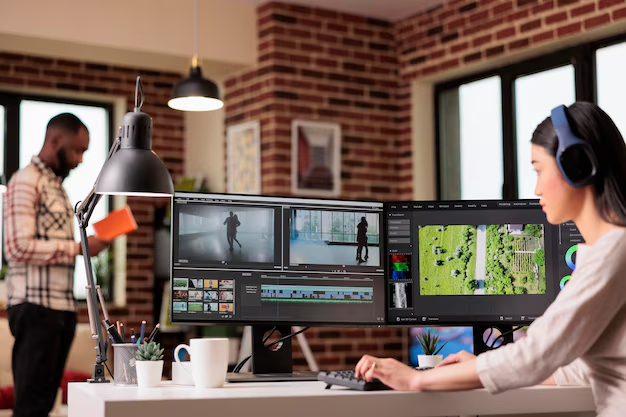
The ability to support such popular editing software as Adobe Premiere Pro, Final Cut Pro, and DaVi,nci Resolve is essential. The software must fit in the workflow, but should not make it complicated.
Scalability is also significant. With the growth of video production, the system must be able to support more file volumes without performance difficulties.
Video production software used in media management is no longer an indulgence, but a necessity. The editors in a fast, precise, and collaborative industry require stable systems to handle the enormous amount of digital property. The benefits are indisputable, such as increased speed in file retrieval and secure storage, better collaboration, and workflow automation.
With the use of professional video media management software, editors will be able to eliminate stress, avoid the loss of data, and work on the one important thing, that is, on the creation of fascinating visual stories. Video production will stay dependent on effective management of media content, as video content will keep taking over the digital environment. Learn how studios can streamline large media files with the right tools in our Rezaid Film.
Video production Medorganizingmesavingoftware is a utilization system that assists in arranging, saving, labeling, and retrieving video files and other associated resources in an efficient manner through a centralized medium.
The media management software that editors require is to save time, enhance cooperation, ensure version control, secure files, and simplify the production working pr of videos.
Remote collaboration and scalability Cloud-based media management are perfect and can be highly successful when used by contemporary video production teams.
Film production is a time-consuming business; time is money, and time wasted is a silent killer. Whether it is the late-night indie productions or major studio work, just one late shoot day can upset the whole production, add extra expenses, and kill the creative momentum. This is when Film Production Scheduling Software proves to be not only convenient but also a must.
The contemporary productions of films require detailed coordination of activities among departments, places, and the cast, equipment, and post-production. It is no longer sufficient to use spreadsheets or manual schedules. In modern production, intelligent, versatile, and cooperative means are required that would be able to adapt on the spot. The appropriate Film Production Scheduling Software may avert delays, minimize confusion, and save precious time at all levels of production.
We are going to discuss in this blog what constitutes a good scheduling solution, how it helps to eliminate delays, and what features really allow saving time in the conditions of a typical film production.
Every film starts with a plan. Accurate scheduling is involved in shooting schedules, call sheets, scene breakdowns, and resource allocation. Once this basis is lost, issues will soon escalate.
Examples of common scheduling issues are:
In the absence of good Film Production Scheduling Software, such problems are usually addressed rather than addressed proactively. That brings about hasty decisions, overtime expenses, and innovative trade-offs.
An efficient scheduling solution enables the production managers and assistant directors to see the whole working process and predict the occurrence of conflicts and modify the schedule before issues emerge. For a detailed breakdown of the complete film production process and workflow stages, you can refer to StudioBinder’s industry guide.
Not every tool is equal. A few scheduling programs are constructed on a general project management basis, whereas others are produced specifically for film and television production. There are some important features that the best Film Production Scheduling Software has in common.
The film scheduling is not the same as conventional project scheduling. Specialized logic is needed in scene-based timelines, cast availability, script breakdowns and location dependencies. Applications designed to address film production are aware of those requirements.
Delays usually occur due to team working with obsolete information. The real-time syncing will make sure that a change in the schedule will be reflected immediately in all the departments, eliminating confusion and miscommunication.
Directors and producers, location managers and post-production teams all require the same schedule. The most effective Film Production Scheduling Software will enable users to collaborate without being overwhelmed by the program.
Rescheduling manually is a time-consuming task that is subject to errors. Modern tools are able to change the timeline automatically.

Delays prevention is not a question of responding quicker, but planning better. It is in this way that the production can be kept on schedule using the right Film Production Scheduling Software.
Every schedule, call sheet, and timeline is in one place. This has eradicated the problem of version confusion and made the entire team in sync.
Good scheduling tools will indicate conflicts before they get out of hand. Be it the duplication of equipment bookings or the unavailability of cast members, prior notifications will save damage control time by hours.
Filmmaking is a field that is bound to have unexpected changes. The capability to test alternative tasks assists producers in selecting the least disruptive among the alternatives in a short time.
The automated notifications will make everyone aware of what was changed, when it was changed, and why. Delays that are occasioned by miscommunication are drastically minimized by this transparency.
Film Production Scheduling Software converts chaos into pre-established flexibility by solving problems before they get to the set. To better understand how modern tools streamline workflows, explore the advanced features offered by Film Production Scheduling Software at Rezaid Film.
There is much more than the development of a more rapid schedule. The appropriate software enhances productivity throughout the production life cycle.
Script breakdowns, shooting days and location plans can be established and changed in a short period, and weeks of planning can be reduced to days.
Concentrated on creative and logistical priorities rather than paperwork, automated call sheets, reminders, and resource tracking allow production staff to focus on creative and logistical priorities.
Shoot days become easier when all people understand where they have to be and at what time. Reduced time delays are equated to improved morale and quality production.
When the filming is finished, it does not mean that scheduling stops. The same Film Production Scheduling Software can be used to manage post-production schedules, editing milestones and even review deadlines.
These features cannot be compromised in the event that you want to avoid time wastage and its associated delays.
Scenes, characters, and places can be directly integrated, which means that they will automatically fill schedules.
Call sheets must auto-update whenever there is a change in schedule so that it keeps the records precise without the need to edit them manually.
It is paramount to know the influence of time on cost. The optimal Film Production Scheduling Software correlates the scheduling choices with effects on the budget.
Remote access is important in keeping the teams in different locations connected, even when operating in varying time zones.
The software can expand with your requirements, whether you are dealing with a small film or a multi-season project.
The Film Production Scheduling Software that will really save you time is not always the most complicated one; it is the one that will fit into your working process.
In the case of small teams, simplicity and convenience are the most important aspects. In case of bigger productions, the high-level automation, reports, and collaboration features are critical. The most appropriate solution is one that minimizes the handwork, enhances visibility, and is flexible to change. Professional scheduling tools widely used in the film industry, such as Movie Magic Scheduling, are explained here: Entertainment Partners.
The difference between the best and the average scheduling tools is that they are capable of:
When scheduling is executed well, all the productions gain, the directors and producers, and the crew on the ground. Whether you are managing a small crew or a large production team, you can review flexible pricing options for Film Production Scheduling Software here, Rezaid Film.
With the changing technology, Film Production Scheduling Software is becoming smarter. The future of production planning is taking the form of artificial intelligence, predictive analytics, and further integrations.
These inventions are meant to get rid of guesswork and enable filmmakers to concentrate more on the storytelling part as opposed to the logistics.
Time wastage in film production is expensive, tense, and can be prevented. The right Film Production Scheduling Software will be very important in avoiding these delays and time savings in all the production stages.
The ability to provide real-time updates, smart conflict detection, and easy collaboration enables team members to be organized, flexible, and efficient using modern scheduling solutions. Regardless of whether the project you are undertaking is a short film or a large-scale production, it is no longer a choice to invest in the correct scheduling software but is a necessity.
When it is smarter to plan, the process of production becomes easier, creativity is not restrained, and deadlines cease to be threats. The correct tool not only controls time but keeps it safe. For detailed explanations and common concerns related to Film Production Scheduling Software, visit the FAQs section at Rezaid Film.
Film Production Scheduling Software can be applied to plan, schedule, and modify the shooting schedules, call sheets, and production schedules.
Yes, as conflicts are spotted early, real-time updates and communication are enhanced, which will greatly reduce unnecessary delays.
Absolutely. Most of the tools are scalable and are designed to accommodate small independent projects as well as large studio productions.
Yes, a variety of solutions expand the scheduling capacity into the post-production that enables to control of the editing, reviews, and delivery schedules.
Table of Contents
The art of filmmaking has never ceased to be a gorgeous blend of imagination and madness. Externally, it appears glamorous–cameras revolving, actors acting, directors shouting. In the backstage, however, it is not the case. Hard drives are messy, the names of files are all jumbled about, versions increase, and someone will always tell someone, where can we find the last-last-really-last version?
Filmmaking is not only more digital, more collaborative, and more fast-paced than ever in 2026, but is more digital than it has ever been. They are bigger in movies, geographically divided in casts, and why it no longer just gets filmed to appear on the movie screens, but it is streamed to the internet and the social media, trailers, teasers, and marketing campaigns globally. The most important issue in the midst of all these is how to effectively manage digital assets.
It is here that the Digital Asset Management (DAM) software has transformed from a nice-to-have to a must-have tool for filmmakers and production teams.
Contemporary cinema produces excessive content of a digital nature. One piece of production may hide terabytes of raw footage, audio files, VFXs, stills, scripts, subtitles, posters, trailers, and so on. These assets are no longer processed and kept by a small number of people in one location as it was in the past.
The modern productions are frequently distributed among cities, countries, and time zones. The same files are required by editors, sound designers, colorists, VFX artists, and even marketing teams, and at the same time. Without an organized system, such complexity becomes a fast mess.
The old style of storage, such as external drives or simple cloud folders are simply not up to the size and speed of the modern film production. There are duplicate files, lost files, and overwritten files,s and time spent in search is a wastage of time, rather than creation.
Digital Asset Management is a unified application that is used to store, organize, monitor, and access digital files in an efficient manner. To filmmakers, DAM tools serve as a point of truth of production resources, both in pre-production, post-production,n and distribution.
In contrast with rudimentary cloud storage, DAM systems are designed to work with extensive media files and complicated processes. They can enable teams to add metadata to assets, manage access control, versioning of files, and, as opposed to spending time browsing persistent folders, search files by keyword.
Simply put, a DAM tool helps to sort out the creative mess. According to Adobe, Digital Asset Management systems help creative teams organize, tag, version, and securely distribute large media files across collaborative production environments.

Time To a Set Is the Costliest
Each minute, which is spent searching files costs money. The entire schedule can be put on hold by editors who are waiting to get the right version of the footage, marketing teams that are requesting the most recent version of the trailer, ordirectors whot are looking over old versions of the cup.
This friction is considerably diminished with DAM tools. Smart search, previews, and version histories give teams a chance to locate what they need in a few seconds. Hundreds of hours can be saved through this during the process of a production. Professional film productions demand structured workflows, which is why digital asset organization is essential for modern filmmaking studios like Rezaid Film.
Working together is not an exception, but the rule, which is remote. It is usually the case in 2026 that an editor, a VFX crew, and a producerares based in different countries, and everything is managed in a completely different location.
This is feasible through DAM platforms without confusion. They enable creating a safe access to any asset at any place, working on the latest version, and maintaining communication on the same track with common files.
Movies do not have an ending cut. Promotions, behind-the-scenes, and interviews,s as well as the future projects, are done with clips that have been reused.
A DAM tool is such that the assets will not be lost as soon as production is finished. Teams can now find the required content and recycle it in seconds without digging inside the old drives or re-creating it, which saves time and maintains creative value. Blackmagic Design highlights how modern post-production workflows increasingly rely on intelligent media management and cloud-based collaboration features within professional filmmaking environments.
In the pre-production stage, DAMs are used in the management of scripts, storyboards, casting tapes, location photographs, and concept art. All of this is organized, searchable,e and available to the right individuals so that there is less miscommunication and version confusion before even the shooting commences.
DAM tools are most effective in post-production. Raw footage can be viewed by the editors, revisions can be uploaded by the VFX team,s and audio files can be synchronized by the sound designers without an endless file transfer.
The version control will also make sure that no work is lost, and the past edits can be recovered immediately. This enables experimental creativity to be safeguarded and expedited.
A good number of DAM systems have a review and approval feature in which directors and producers can comment on assets. Rather than email chains or general reactions, the notes are attached to particular frames or timestamps, and changes in the text are more understandable and faster.
Security is a major concern in a business where marketing strategies and premieres can be ruined by a leak. DAM tools provided have advanced access controls, encryption, and activity monitoring that would guarantee that sensitive assets are viewed only by authorized individuals.
Securing scattered drives and unsecured links is challenging and may not be possible to achieve this level of security.
The second mistake related to DAM tools is that they are not limited to large studios. Indeed, the small production houses and independent filmmakers gain equally, or even more.
With the rise in the number of indie productions and the augmentation of content, DAM tools allow teams to remain professional, efficient, and competitive. A lot of the current-day DAM systems are scalable, and that is,s theyare includede with the project rather than swamp it.
As of 2026, systems of DAM are smarter than ever. The functions of AI will be able to tag footage automatically, recognize faces, identify scenes, and even propose the most suitable footage to use in trailers or even on social networks.
This saves on manual work and assiststhe team to find content of value that they would otherwise be blind to. Rather than wasting time naming files, creatives will be able to work on stories.
DAM tools are not designed in equal measure. The video file support, the ability to integrate with editing software, a good level of collaboration features, and the ability to assign flexible permissions are the solutions that the filmmakers should seek to help them. them
Ease of use is also critical. A DAM system must not make working difficult, they should streamline it. The most appropriate tools can be described as a natural continuation of the creative process and not a technical encumbrance.

The disorganized production workflow cannot be afforded by thefilmmakerss anymore due to the shortening of production timelines and increase in the content demands. DAM tools are the future of every production team, as they allow creative work without disorder.
It is not only storage, but speed, teamwork, security, and imaginative freedom of DAM in 2026.
Moviemaking will never be easy, yet handling digital resources does not need to be. By 2026, the tools of Digital Asset Management have become critical to the production teams, who desire to work faster, collaborate more, and ensure the protection of their creative work.
DAM system is used by independent filmmakers doing a variety of projects, as well as giant studios with global work teams, in order to transform the files lying around into an organized, dynamic workflow. Investing in the appropriate DAM tools allows filmmakers tospende less time searching and more time writing something meaningful. Secure handling of unreleased footage is critical, which is why Rezaid Film follows professional media management practices in every project.
Digital Asset Management in filmmaking is defined as systems that organize, store,e and manage digital files,s including video footage, audio, images,s and project files, throughout the production lifecycle.
Yes. Seven digitals are created even by small productions. DAM tools assist independent filmmakers to remain organized and work together, as well as scale their workflows as projects proceed.
Cloud storage is merely the storage of files, whereas DAM tools hold files with metadata, versioning, access controls, and workflow controls built to deliver the functions of creative teams.
Film production has never been collaborative or common sense. It doesn’t matter whether you are recording raw 6K drone videos, editing 4K documentary shots, or sending VFX shots to remote artists; the fact of the matter is that you do deal with massive video files and highly sensitive information.
You know when you can spend hours waiting to get a hard drive to spin, or when someone has lost the one copy of the rough cut you had, or when you have a hard time beating the files to your editor overseas… And already you know that the conventional workflow does not make the filmmaking of today.
Now, secure cloud storage is your lifeline. Cloud storage has transitioned from being a mere convenience to a crucial part of the risk management strategy in professional film production. Creative output is not the only factor determining the verdict about production houses, agencies, and even independent filmmakers; how they manage to deal with priceless and confidential materials like unreleased footage, assets of the client, and IP has also become a significant factor. Not only to save files, but also to share, secure and to keep on with their projects.
In this guide, we will dissect how filmmakers can save and share large files safely, what is important, and how to prevent expensive errors that film production companies and individual creators make on a daily basis. Many production teams now prefer working with professional film production services that follow secure workflows for storing, sharing, and managing sensitive video footage.
Consider the way filmmaking was done. The camera operators were taking hard drives to the location, the editors were copying them, and the teams were taking the physical storage anywhere. The modern film industry is utterly different nowadays; crews, editors, colorists, and VFX supervisors are based in your city, country, or the other hemisphere. And with 100GB files in your files, the transfer becomes a bottleneck. Inefficient file handling, apart from speed, has an adverse effect on production timelines and budgets. Delayed transfers can affect post-production, missed approvals can lead to pushing of the deadlines, and lost footage can necessitate expensive reshoots — all these will have a negative impact on trust and profitability of the client. More to the point, your work has value.
This approach is especially important for projects handled by end-to-end film production teams, where data security and controlled access are essential at every stage. A leaked commercial, unpublished trailer, documentary interview, or film scene can ruin confidence as well as cause significant legal problems. That is why today, even small productions save their footage in the cloud with a high level of security.
The cloud does not store files only.
According to Frame.io, modern film production teams rely on secure cloud-based workflows to transfer large video files efficiently and collaborate with remote editors without compromising data security.
Moviemakers have their own issues that are not encountered by ordinary users. A photographer may put 5GB in a week. A filmmaker? 500GB in a day.
This is what will happen when directors store their content using simple storage technologies:
If viewed individually, these problems might not appear to be so difficult to solve. However, when taken together, they cause a lot of confusion — particularly in the case of long documents that require several editors, remote partners working together and very tight delivery times. This is the point where casual storage methods silently become a threat to the operation.
Secure cloud storage is the answer to these issues – only when you select the right platform and configure it properly.
Filmmakers do not have to use any online storage that is not secure. When it comes to the real definition of what constitutes secure storage, for filmmakers, secure cloud storage is not merely about password-protecting their files. It is, rather, a matter of managing access to the footage, controlling the actions that can be taken with it, and having every interaction with the footage monitored and retrievable. There are three absolute ingredients:
This implies that your video is mixed up when you transfer it and when it is kept in the server. A person can not see it even when he intercepts it.
You choose who to share your footage with – and how they can use it.
Accidental leaks are completely ruled out by this level of control, and at the same time, it guarantees that the collaborators have access to the assets that are directly related to their role only, which results in less confusion, fewer errors, and a minimized security risk.
In case of defrimentation of your sequence by someone, you can recover the earlier version in seconds. No panic. No data loss.
Most filmmakers believe that cloud storage is just Google Drive or Dropbox, but to support a filmmaking workflow, more specialized and powerful equipment is required.

Suppose you are doing an advertisement for a luxury brand. This footage is of grave financial worth before its launch. A leak would hurt the brand as well as violate your NDA and lose the client. In these situations, mishandling of the internal nature, like passing preview links or storing files on unofficial devices, can cause irreparable harm. The use of secure cloud platforms greatly reduces the risk of such events happening by having the permissions enforced at the system level and not depending solely on human discipline.
A secure cloud service secures you in a number of ways:
Between uploading and downloading, the encryption will guarantee that no one sees it without permission to do so.
There is a possibility that a person steals a password, but they will not be able to access the project.
You are able to grant view, comment or download.
In case a person accidentally erases a file, then you will know where and when it occurred.
Physical storage crashes. Cloud storage doesn’t.
It is not a hundred percent safe cloud system, but by using a secure cloud platform, you cut your risk down to 99 percent.
Old cloud solutions are suitable for small files; filmmaking needs more durable solutions.
Here’s what to look for:
Other sites compress video files as much as possible, making the upload time as short as possible.
One can preview without having to download full-quality files.
It should be able to bring footage directly into the cloud.
There is no reason why your clients would have to download 50GB files just to hear a cut.
You do not have all your files in a single location, but they are replicated where they are more secure.
The professional video production requirement by the industry.
These characteristics allow an easier, safer and quicker collaboration, particularly where your team is not occupying the same space. The use of cloud platforms for video production does not include all of them. The majority of consumer-oriented tools focus on user-friendliness rather than giving a high level of control, and this might lead to lower performance and insecure handling of big video projects. Blackmagic Design also highlights the importance of secure cloud collaboration and project sharing for editors using DaVinci Resolve in professional film and post-production environments.
The most effective way a secure cloud workflow operates is when all the personnel involved adhere to the same organized procedure. The regularity is the factor that changes the character of the cloud storage from just a file dump to a production system. A storage system is crucial, but a secure workflow is equally crucial.
Don’t wait until you get home.
Backup – set – Upload – Version confirmation.
Use a naming convention:
ProjectNameScene03CamA_Day1
Hold clients out of raw material.
Give the editors access to what they require.
This eliminates unnecessary downloading and also safeguards files against being attached to strangers.
Do not repeat the same mistake of overwriting projects.
This helps eliminate confusion and maintains your edit clean.
When all people stick to the identical working procedure, your project will be more productive and much safer.

It is here that filmmakers unwindingly get into a risky situation.
In the world of film production, it is commonly seen that most data leaks are not due to hacking activities, but rather to other factors like excessive sharing, poor permission settings, or access rights that are already out of date and not reviewed at all. A secure cloud storage can remove the vast majority of these threats, provided that you set the permissions properly.
This is to make sure your movie is in your possession – not on some random WhatsApp channels or TikTok leaks.
The secure cloud storage has become imperative to modern filmmakers not only to be convenient but also to ensure the safety and durability of their work. The risks of losing data, data leakages, and delaying the workflows are growing exponentially with the increase in the size of production and the remoteness of teams. A secure cloud platform protects your video with the help of encryption, organized access, and backups. It also facilitates the process of collaboration because it does not need physical drives to keep the editors, clients, and crew on track. Cloud workflow is an investment that filmmakers make not only for file safety but also for the protection of the whole project timeline, clients, and the eventual value of their creative output.
Going secure to cloud workflow, moviemakers can secure their creative investment and keep each project organized, accessible and indeed future-proof. Filmmakers collaborating with experienced production teams are better equipped to protect their creative assets while maintaining smooth delivery timelines.
The project of most filmmakers requires 2TB to 20TB. Raw 4K/6K video is very memory-consuming, and as such, scalable plans are very much needed.
Yes, so long as you can use password-protected links, view-only privileges and time limits to keep unauthorized downloads or shares off.
Absolutely. In current platforms, proxy previews can be viewed, clockwork matches Premiere Pro, DaVinci Resolve, and Final Cut Pro, and even the software can be fully integrated; this eliminates the necessity of full downloads.
It’s easy to manage video files until a studio is handling thousands of video clips, raw video, video edits, trailers, and final video exports that are spread across drives, clouds, and mail. Video asset management software is necessary here.
Contemporary studios do not fail due to creativity. The reason is their struggle due to the loss of files, time wastage in search, and disorganized collaboration. This guide will discuss the best video asset management software, the need, and how it assists studios in managing huge media files with ease, without slowing down creativity. https://rezaidfilm.com/
Video production generates data in massive amounts. Even a single shoot is capable of capturing hundreds of gigabytes of footage. Add that to several projects, clients, and revisions—and S.O.A.K.
Problems that are common amongst studios include:
The best teams lose their effectiveness even with no proper system. This is precisely the reason why a video asset is necessary. According to IBM, organizations handling large volumes of digital content require structured asset management systems to prevent data loss, duplication, and workflow inefficiencies.
The video asset management software is a system that is specialized and aims at storing, organizing, searching, sharing, and securing the video files during the life cycle of the video files.
As opposed to the uncomplicated cloud storage, it comprehends video workflows. It also allows studios to tag footage, preview files without downloading, access control, version tracking, and real-time collaboration. Imagine it as a primary brain to all of your video content—organized, searchable, and scalable.
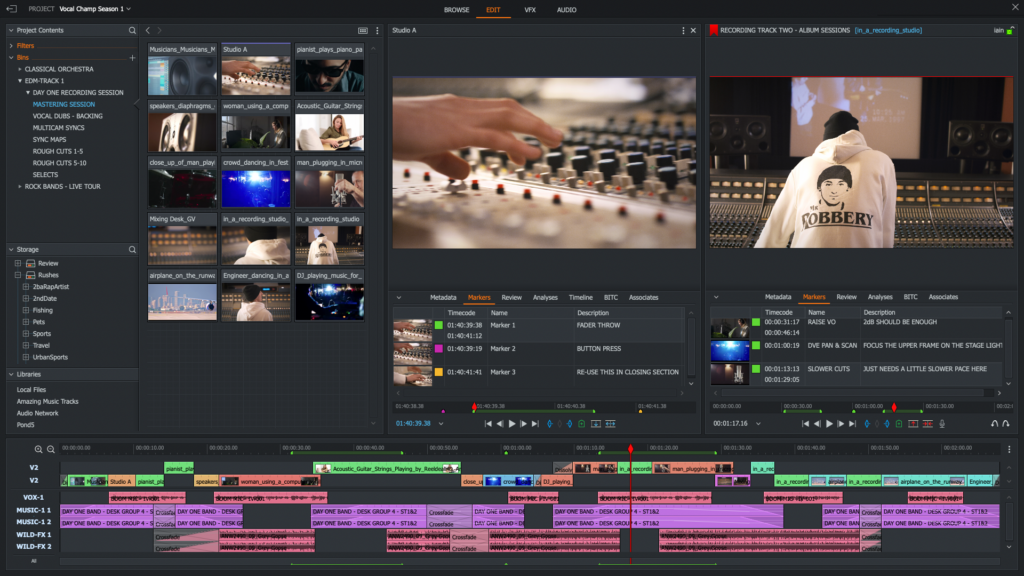
Intermediate, edited, and final footage are in a single secure location. No external drives or folders offinalv33.
Video asset management software provides equal access to files to all, removing errors and duplication.
It becomes easy to locate the appropriate clip. Files can be tagged by:
A team no longer needs to scroll endlessly; within minutes, they find the footage they are searching for.
The collaborators may be editors, producers, directors, and clients, even distant.
With good video asset management software, it is possible to:
This will make feedback organized and avoid confusion.
Time saved = money earned.
The production cycles become short when files are easy to locate and share. Projects are finished sooner by studios, and more work is undertaken without the stress of more work.
Everything should not be viewed by everyone.
Video asset management software by professionals allows studios to:
This plays a vital role in client trust and the protection of intellectual property.
You should not go after features that you are not going to use when selecting the right solution. Put the most emphasis on what is important to studios:
A great video asset management software becomes invisible—it does not interfere with your workflow, rather it helps you along. Adobe explains that professional digital asset management systems improve creative workflows by centralizing media, enabling metadata tagging, and supporting collaborative production environments.
Let’s make this practical.
Video asset management software is normally used by a mid-sized studio that creates commercials, social advertisements, and documentaries to:
Such a system will stop re-shoots, accelerate editing, and enhance client satisfaction.
Video asset management software is often perceived as a tool for managing existing projects. However, the most important secret of its success is the content recycling in the long-term. The properly marked and tagged footage will become an asset that can be used to create trailers, social media clips or marketing campaigns.
Consistency is crucial for studios working with repeat customers or internal brands. Video asset management software ensures:
Asset usage is offered as analytics through modern software. Studios can monitor:
The knowledge can assist production managers to allocate resources more efficiently and in better planning future projects.
Storage of long-term entails such legal obligations as licensed music or talent releases. Video asset management software assigns permissions and access control to every asset, which keeps them safe without being accessed by unauthorized personnel.
VAM software can help studios abandon their disorganized folders and enter a scaled environment. It safeguards artistic output, reuses aged work, and offers long-term usefulness in a fashion that is devoid of digital rubbish.
Yes, the cost of lost files, delayed projects, and poor collaboration far exceeds subscription fees. Studios using video asset management software benefit from:
It is not merely a storage, it is smarter work.
The choice depends on:
Always agree to a pilot project, involve your team members and ensure the system adheres to their ways of operation and not vice versa.
Creative work should be under organized systems.
Video asset management software is not a luxury anymore; it brings sanity to the chaos, accelerates the process and even improves collaboration. The prudent thing for studios wishing to grow but not break down is to invest in the right software. Look through the portfolio of Rezaid Film to find examples of creative work in filmmaking, video production, and storytelling.
The primary feature is to organize video files, store them, search and share effectively, and facilitate collaboration and version control.
Yes. It has metadata tagging, preview and production-oriented features, unlike basic cloud storage, and it is specifically designed to support video workflows.
Yes. The majority of contemporary VAMs are cloud-based and are tailored to smooth remote cooperation.
Creativity is no longer sufficient in the contemporary filmmaking world. A good idea, good actors, and a good script still require something that is equally important: a production process that is well organized. Movie projects have too many moving components, such as schedules, crew coordination, budgets, revisions, media files, call sheets, tasks, approvals, etc. The absence of control of these aspects results in anarchy, stress, delays, and even, at times, expensive errors.
Film project management software comes in at that. Here in this blog, we are going to discuss what film project management software is, why it is important, how it makes the production process easy, and the best tools that are being used by filmmakers today. We will cover and take into account the answers to the most frequent questions to make sure that you select the appropriate solution for your new project. Modern film teams increasingly rely on centralized digital systems, and platforms like Rezaid Film help filmmakers manage, organize, and share production assets more efficiently throughout the workflow.
Film project management software is a dedicated electronic platform that assists a film director in planning, organizing, executing, and controlling all facets of a production. These systems meet the special requirements of film production, unlike conventional project management tools, and they are useful in supporting such tasks as:
Simply put, it is like having a main hub where all key information of a film production will reside, so that nothing is lost, forgotten, or even postponed.

Prior to the digital solutions becoming the centre stage, numerous productions depended on spreadsheets, emails, physical call sheets and manual scheduling. Although this might apply to very small projects, it becomes inefficient and risky when the complexity increases.
This is why moviemakers are replacing project management software:
Prevents Miscommunication
In motion pictures, both vertical and horizontal communication takes place at all times. In the absence of a centralized system, messages may be lost, distorted, or misread. By having a project management tool, everyone will get the same updates at the same time.
Saves Time
Replacing manual order, scheduling, and file sharing with automated activities (creating call sheets, allocating work, revising schedules, and file sharing) produces hours, or even days, of time needed to handle the manual call center tasks weekly.
Keeps Everything Organized
All of the scripts, revisions, media files, contact lists, and production documents are kept in a single location. This will remove cases of searching in emails, shared drives, or hardened folders.
Tracks Progress
These tools enable filmmakers to regard what has been done, what has not been done and what has not been done. This transparency allows teams to be on track and shift fast in case of a change.
Reduces Stress
Film sets are stressful in nature. When your communication and planning are cumbersome, the stress level goes up. Project management software saves wear and tear – and leaves you with greater room to be creative.
Below are the list of the most useful film project management software that moviemakers are using now, their advantages, and peculiarities:
StudioBinder is among the most used project management software among filmmakers, particularly the independent and mid-sized project teams.
Key Features
StudioBinder is very popular with film teams since they can put all their production activities under one roof. StudioBinder does not have to use different tools to write scripts, schedule, and communicate, but holds them all together. This integrated solution will enhance productivity and reduce time wastage by saving time that could be spent in the process of switching systems.
Best: Small or medium-sized production companies, indies.
Autodesk Flow Production Tracking, previously referred to as ShotGrid, is a robust software that is frequently employed in bigger production homes, visual effects departments and sophisticated workflows. It is created to deal with projects that have several departments and tasks that overlap.
Key Features
When you have many people in your production, several assets, and require in-depth tracking within or between departments, this tool will help keep track and keep things in check. Although it may require a more steep learning curve, it has a substantial reward in terms of organization and transparency.
Best In: Large studios, visual effects departments, multi-department productions.
Celtx began as a scriptwriting system and developed into a good project management system used in pre-production planning. Celtx is worth considering, in case you want more robust assistance for the early phases of planning, which include script breakdown, storyboarding and early scheduling.
Key Features
Celtx also works very well with the planning and preparation, assisting the teams in enabling them to switch on to a schedule more quickly than a script. It is not exhaustive of all the details of production, but it makes life so much easier in the initial organization.
Best When: The team deals with pre-production and planning.
Although it is not specifically a movie-making tool, Trello is a very versatile project management platform that numerous indie filmmakers and small movie production teams use.
Key Features
Trello provides a team with an easy visual means of organizing work and tasks. It can have greater manual configuration to the demands of film, but its ease and flexibility can be popular in small projects.
Another general project management tool applicable in industries, including film production, is Asana. Its advantage is in the ability to handle complicated sequences of tasks and monitor the relationships between tasks.
Key Features
Asana is a tool to plan workflow on a long-term basis and track the progress in detail. It is not film-related, and it has strong task management capabilities, which keep teams on track, particularly when timetables have become hectic. According to Harvard Business Review, teams that rely on centralized digital communication systems experience fewer misunderstandings and improved project outcomes.
Elements to consider in Film Project Management Software. It is rather difficult to select the appropriate tool when there is a great number of them. The following are characteristics that are of the utmost concern to filmmakers:
User-Friendly Interface
A tool must have easy adoption by your whole team. In case it is too complicated, productivity may even decrease.
Centralized Communication
Your program is supposed to provide the ability to discuss, update and leave messages directly related to the task or document rather than hidden within emails.
File and Asset Management
Systematic storage, version management, and convenient access to scripts, footage, and documents conserve time and frustration.
Real-Time Collaboration
The team members must be able to see updates immediately, whether they are on set or working remotely.
Customizable Templates
The film productions varyfrom one project to another. Customization is all that allows you to respond to your workflows, instead of imposing a strict framework on your process.
Mobile Access
Mobile schedules, shot lists and updates on tasks are helpful on set in Teams.
Numerous filmmakers also testify to the dramatic increase in productivity with the implementation of project management software. These are typical transformations that teams undergo:
Fewer Scheduling Conflicts
Automatic updates are used to make sure that everybody is operating on the latest version of the schedule.
Less Time Making Call Sheets
Minutes are taken to create and distribute call sheets that previously took hours to create.
Better Crew Communication.
Otherwise, the team does not have to waste time on long email messages or messages that are fragmented and spread out; everyone gets updates in one location related to the task or project.
Faster Feedback Cycles
The process of editing or VFX approvals proceeds much faster with comments and versions being crunched in a central location.
These enhancements are reflected in actual time saved – time that can be devoted to cast and crew developing, practicing, or perfecting their work. Industry insights shared by StudioBinder highlight how structured production tracking and centralized project dashboards help filmmakers reduce delays and maintain better control over schedules.
Implementation of new software is not always smooth. Such are typical obstacles to the team:
Resistance to Change
Certain members of the crew also want to stick to the old ways. The transition can be facilitated by training and documentation.
Learning Curve
It is common that powerful tools contain functionality that users do not require initially. This starts with simple features and progresses to complex features.
Initial Setup
There is an initial time investment in the input of scripts, contacts, and project templates, but this is compensated for.
Film project management software does not come as an option in an industry where time is money. These tools assist the filmmakers in becoming organized, well communicated, cut down manual tasks, and carry out complex work with confidence.
You can use a one-stop solution, such as StudioBinder, a powerful tracking tool, such as Autodesk Flow, or use any tool that has flexibility, such as Trello or Asana, but the advantages stay the same: a smooth production process, reduced mistakes, and accelerated processes.
The correct tool does not substitute your creativity; it shields your creativity by taking away the barriers. By using professional production workflow solutions such as those offered by Rezaid Film, filmmakers can reduce delays, improve collaboration, and streamline project management across all stages of production.
Film project management software is a computer program that aids filmmakers in planning, organizing, coordinating, and monitoring every aspect of a film project – from planning the pre-production to scheduling tasks and all activities during the production.
Absolutely. Centralized communication, tracking of tasks and simplified scheduling even in small teams assist in minimizing confusion and time saving.
No. The tools are helpful because they assist production teams in decreasing the amount of manual labor and improving the order. They liberate production professionals from the time needed to make creative decisions, but do not eliminate knowledge and judgment.