Table of Contents
- Introduction
- The Reason Collaborative Editing Platforms Are More Important Than Ever
- Most Informative Collaborative Film Editing Platforms to Enhance Team Workflow
- The Way These Platforms Enhance the Workflow of Team Editing
- Who Has the Upper Hand in Collaborative Editing?
- Conclusion
- FAQs
1. Introduction
And, even better, when you have worked on a movie, documentary, commercial, or even a YouTube series with more than a few people on the team, you are already in pain: The countless file transfers, the lost-in-translation feedback, the wrong timeline, and the ever-present question of what version is the most recent. Chaos.
The collaborative film editing platforms come in there. They are designed to make the team work process easier, ensure that everyone is on track, and accelerate the whole editing pipeline, regardless of the location of the team members. In the modern cinematic industry, remote collaboration is not only convenient but it is also obligatory. And as strong tools exist, your work process can be smoother and faster, as well as much more organized.
Now, it is possible to deconstruct the most productive collaboration film editing platforms and the way they enhance the team editing processes. Collaboration is no longer a luxury but a necessity in today’s rapidly changing post-production environment. Creative teams using old ways of sharing files are likely to encounter delays, miscommunication, and creative exhaustion that collaborative editing platforms are meant to solve. Many studios now rely on professional film production services to manage collaborative workflows efficiently from pre-production to final delivery.
2. The Reason Collaborative Editing Platforms Are More Important Than Ever
The scenario where global teams, remote editors, and strict delivery dates are the everyday reality has made collaborative film editing platforms a necessity for maintaining continuity, accountability, and creative alignment throughout the entire production process.
Traditional Editing Workflow Problems
The conventional editing processes tend to appear as follows:
- Drives or ZIP folders transfer the footage.
- Project files are passed to the editors.
- The feedback is diffused throughout WhatsApp, email or voice notes.
- Versions are built one on top of the other, like Finalv3LASTFINALfinal2.prproj.
This slows everything down. Chopping down complexities that decelerate production and multiply the probability of costly missteps and missed deadlines is instrumental in the success of your business operations. More teams are moving away from email‑based workflows to purpose‑built collaborative editing systems — as explained in Frame.io’s guide on modern remote video production workflows: Frame.io.
How Modern Platforms Solve These Problems
The contemporary collaborative platforms address such problems by providing:
- Real-time teamwork
- Cloud syncing
- Version control
- Centralized feedback
- Fast remote work proxy-editing
- Secure file sharing
At the same time, access to editors, colorists, and sound designers. When your team is pulled together as one unit rather than looking like a fragmented whole, the project gets 2 times faster with half the confusion. Modern collaboration tools streamline the process by ensuring assets and communication stay centralized, replacing the chaos of confusion with clarity and speed.
3. Most Informative Collaborative Film Editing Platforms to Enhance Team Workflow
The leading platforms for collaborative editing come together to use cloud technology, version control, and real-time communications as a basis to keep creative teams in full synchronization, independent of where they are physically located. Centralized collaboration is a core element of modern post-production workflows for filmmakers, reducing turnaround time and communication gaps.
Frame.io – The Standard of Collaboration
Frame.io is regarded as the most popular collaborative movie platform in the world. It became an essential part of Adobe and has become a necessity for editors, directors, and producers.
Why It’s Great for Teams
- Video week commentaries in real-time
- Leave immediate feedback by drawing on frames.
- Cloud-based review cycles
- Automatic version stacking
- Side-by-side comparison
- Close connection with Premiere Pro, Final Cut Pro and DaVinci Resolve
How It Improves Workflow
Frame.io is used to do away with lengthy email trails. Timestamps on all notes left by directors, clients and team members, real-time feedback on the timeline can be viewed by the editors immediately. Frame.io is exceptionally useful in projects with a client element where approvals are required to be clear and feedback is needed quickly. For an industry view of how collaborative editing and real‑time feedback tools are transforming post‑production workflows, check out No Film School’s article on post‑production collaboration: No Film School.
LucidLink – The Fastest Cloud Editing Solution
The popularity of LucidLink has stemmed from the fact that teams can now edit directly on the cloud, even large 4K and 6K files.
Why Teams Love It
- Anywhere editing without file download.
- Streams proxies instantly
- Ideal for remote teams
- Premiere, Resolve, Avid and Final Cut
How It Improves Workflow
Editors can start the cut in minutes as opposed to waiting hours for mega drives to upload or ship. The agencies, large-scale productions, and YouTubers use LucidLink to work in real time.
Adobe Premiere Pro Team Projects
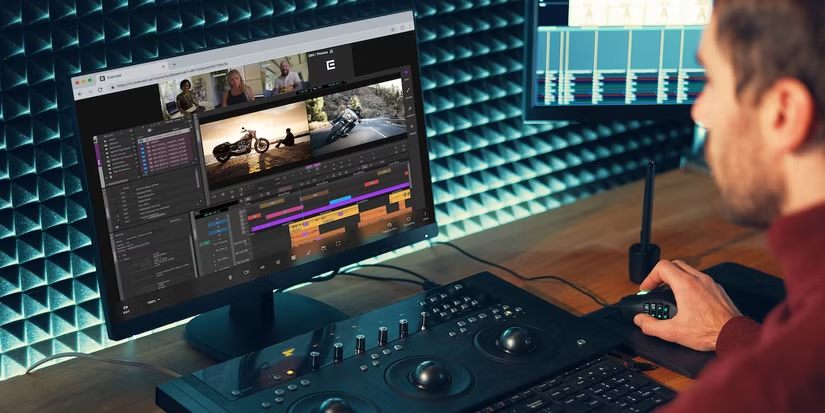
Team Projects is an effective native collaboration tool in case your team is within the Adobe ecosystem.
Why It’s Useful
- Shared cloud editing
- Auto-sync of changes
- Conflict resolution alerts
- Combined with Creative Cloud, Adobe
- Easy to edit with already existing editors in Premiere
Workflow Advantage
It is the best fit that allows many editors to be working on the same project, and the editors do not need to overwrite each other, thus it is ideal when the studio or agency manages fast-paced content.
DaVinci Resolve Cloud Collaboration
Blackmagic has created an amazing multitasking framework within DaVinci Resolve, particularly where the entire film pipeline crew is involved.
Features Teams Benefit From
- Real-time collaboration
- Built-in chat
- Shared timelines
- Multi-user editing (sound, color, VFX)
- Highly-accelerated proxy processes
Why It Improves Workflow
Resolve enables colorists, sound designers, VFX artists and editors to collaborate in real-time – previously, these tools had to be used separately and handed over.
Avid Media Composer Cloud UX
Avid is still the leader in Hollywood, particularly with big-budget movies and television.
The reason Big Productions prefers it.
- Rock-solid media management
- Shared bins and sequences
- Complete domesticated studio processes.
- Relied upon by large production stations
Workflow Benefits
The collaborative nature of Avid enables the production of large teams to work on pieces of films or episodes without crashing or loss of media.
Dropbox Business and Google Drive (Using Proxy Workflows)
Although they are not complete editing systems, cloud storage remains popular with numerous teams to synchronize footage. And combined with highly developed remote file management tools, such as the Rezaid RFM, a team is able to create, store and distribute large media files in a much safer and more efficient way.
Why They Work with Straussforward Arrangements
- Easy file sharing
- Multi-device access
- Proxy version sharing
- Folder permissions
Workflow Advantage
Even smaller teams or those with a low budget could work well in a collaboration with good proxy workflows. In a collaborative framework to cater to smaller-sized or more budget-conscious teams if the need arises for more efficient use.
4. The Way These Platforms Enhance the Workflow of Team Editing
Key Improvements You Will Notice
The largest improvements you will have are as follows:
- Quick File Access and Zero Delays
- Centralized Feedback
- Better Version Control
- Non-Disruptive Multi-Editor Cooperation
- Less difficult Distant teamwork
- Secure Storage & Backup
5. Who Has the Upper Hand in Collaborative Editing?
Such platforms prove to be very helpful in:
- Filmmakers
- YouTube teams
- Video agencies
- Marketing teams
- Editors & colorists
- Post-production houses
- Documentary teams
- Hiring multiple editors for the wedding filmmakers
When two or more individuals are necessary to work on the project, you should have a partnering platform.
6. Conclusion
Film editing platforms that are collaborative have transformed the manner in which teams operate. Rather than having to hand over delays, sloppy feedback, and spending hours on file transfers, you have real-time collaboration, cloud syncing, shared timelines, and smoother communication.
Be it a one-person producer who has clients to serve, a small team that creates frequent content, or a large film crew with huge projects to make, Frame.io, LucidLink, DaVinci Resolve Cloud, and Adobe Team Projects, among others, will dramatically increase productivity.
Adoption of collaborative editing platforms for the growth of a post-production process is very effective. These systems are widely used by professional filmmakers and video production teams handling complex projects with distributed editors.
7. FAQs
Which is the most effective group film editing site?
Frame.io and LucidLink are the most popular due to the real-time syncing and professional cloud processes.
Is it possible to have several editors working on the same project?
Yes. Such tools as DaVinci Resolve Cloud, Avid, and Adobe Team Projects enable several editors to work in parallel.
Are online editing tools secure in terms of keeping videos?
Absolutely. Platforms combine high-level encryption and secure data centers to keep your files safe.
Is it possible to edit 4K and 6K remotely?
Yes — such sites as LucidLink and Frame.io offer proxy files, which render distant high-resolution editing quick and intuitive.