Table of Contents
- Introduction
- What Is Film Shoot Planning Software?
- Why On-Set Mistakes Happen
- How Film Shoot Planning Software Prevents Mistakes
- Best Film Shoot Planning Software Solutions.
- Streamlined work process (according to filmmakers online).
- The advantages of Film Shoot Planning Software.
- Difficulties with Unplanned Software.
- Final Thoughts
- FAQs
1. Introduction
The process of film production is thrilling–to be frank, it may be disorganized, too. Late props, incorrect call time, interdepartmental misunderstanding… such minor errors may easily become costly setbacks.
And that is precisely why the film shoot planning software has become so necessary in modern filmmaking. You can be differentiating a short movie, commercial, or a full-scale production, but the right tool can ensure that you are organized, avoid some expensive mistakes, and get your whole crew on track.
We will discuss in this blog how film shoot planning software operates, the best solutions available,e and how they will enable you to avoid on-set errors.
2. What Is Film Shoot Planning Software?
Film shoot planning software refers to a computerized application that is supposed to facilitate all phases of the production process, including pre-production and post-production. It assists moviemakers with script-writing, scheduling, budgeting, a shot list, and communication between team members.
Directors, producers, editors, and crew members use these tools to streamline workflow and enhance coordination. A good example of this is Flow Production Tracking at Autodesk. which has a real-time tracking and collaboration option.
Modern tools allow teams to:
- Plan shooting schedules
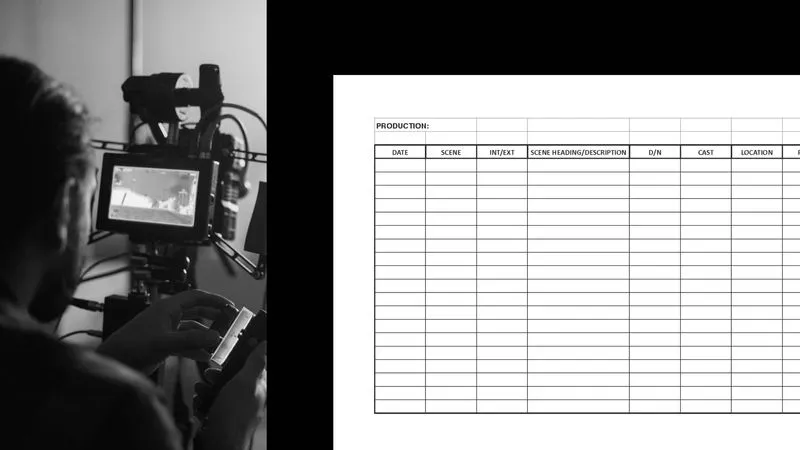
- Create call sheets
- Track assets and tasks
- Collaborate remotely
- Monitor budgets
All this makes confusion go away, and everyone is on the same page. If you’re working with a remote crew, using the right collaboration tools is essential—check out this guide on video collaboration tools for filmmakers to streamline team communication and avoid confusion on set.
3. Why On-Set Mistakes Happen
It is necessary to know the problem before we discuss solutions.
Mistakes on the set are mostly caused by:
- Lack of interdepartmental communication.
- Obsolete schedules or call sheets.
- Missing props or equipment
- Lack of real-time updates
- Paper notes (Excel sheets)
Actually, spreadsheets are still used by many filmmakers, which may cause the possibility of missing some details and making some mistakes.
Planning software makes it all different over there. To understand professional production workflows and tools, explore Autodesk’s official guide on film production management tools.
4. How Film Shoot Planning Software Prevents Mistakes
Centralized Information
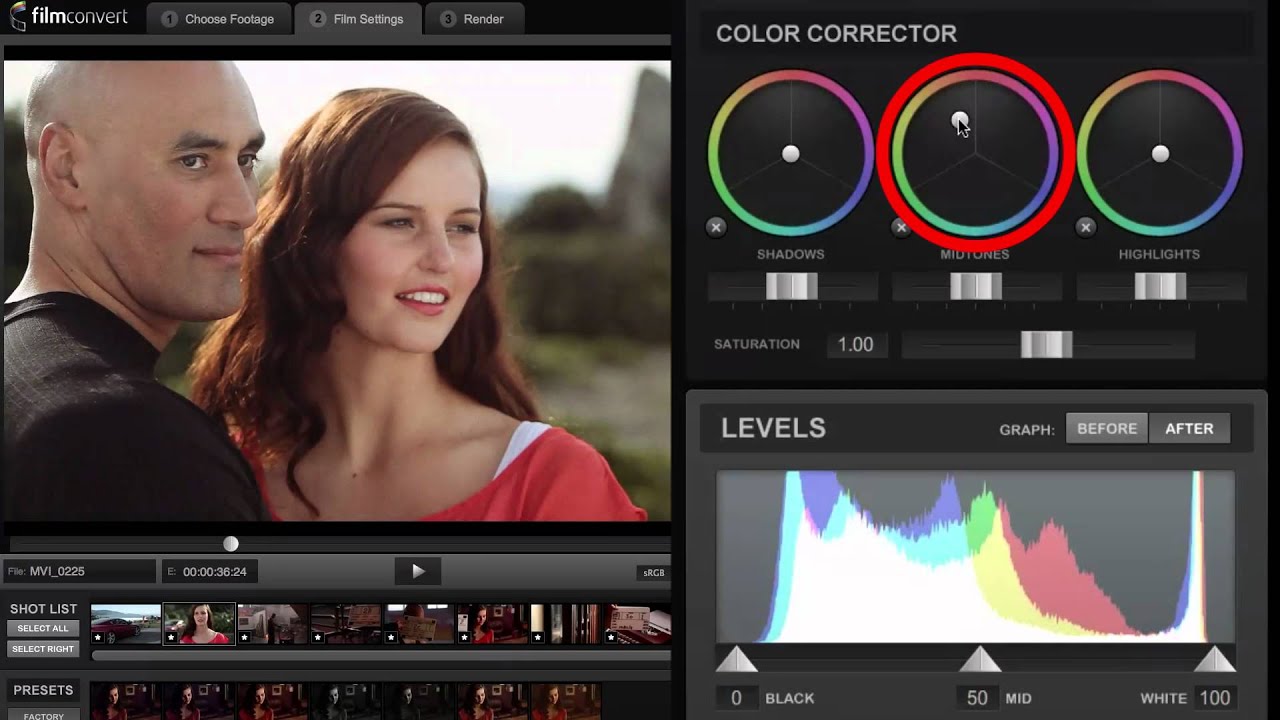
Your entire project information, such as scripts, schedule, shot series, and contacts, is all stored in a single location. This helps to make sure that they are all using the most recent plan.
Film production tools create a centralized access to the assets and updates, and allow the teams to remain in tune during the working process.
And no longer the problem of which version is right.
Real-Time Updates
Everything in filmmaking changes plans. Weather changes, actors are late, or scenery postponements.
Using new software, the updates are discussed in real time throughout the team. Real-time collaboration and feedback are possible by using such tools as Autodesk Flow Capture.
This means:
- All of them are immediately informed.
- No outdated call sheets
- Faster decision-making
Intelligent Scheduling & Resource Planning.
One of the largest causes of on-set chaos is scheduling. High technology tools apply automation and even AI to:
- Create shooting schedules
- Allocate crew and equipment
- Modify schedules on the fly.
These systems contribute to the maintenance of time and budget adherence of projects. Consequence: fewer delays and less troublesome shoots. Modern productions rely heavily on cloud workflows, and you can explore how they improve efficiency in this article on cloud-based video management systems for filmmakers, which explains real-time access and version control benefits.
Effective Interdepartmental Communication.
One of the best causes of production errors is miscommunication. This is solved by planning software:
- Offering common dashboards.
- Allowing the use of team comments and notes.
- Enabling real-time co-operation.
As an illustration, directors and editors will be able to view footage simultaneously even when they are not on set.
Aesthetical Planning (Storyboards and Shot List)
There are applications such as Celtx and StudioBinder that can enable directors to map out scenes before shooting. Features include:
- Storyboarding
- Shot lists
- Scene breakdowns
- Camera setups
This saves confusion in the course of filming and makes everybody comprehend the vision of the creators. For insights into industry-standard scheduling techniques, visit StudioBinder’s detailed resources on production planning.
5. Best Film Shoot Planning Software Solutions.
The following are some of the popular and useful tools:
Autodesk Flow Production Trackin
Best when: It consists of large productions and studios.
- Real-time tracking
- AI-powered scheduling
- Cloud collaboration
Celtx
- Best: Amateurs and amateurs.
- Planning + scriptwriting in one.
- Storyboarding tools
- Easy-to-use interface
StudioBinder
Best in: General management: All-in-one production.
- Call sheets
- Shot lists
- Scheduling tools
Movie Magic Scheduling
Best in: Industry-standard scheduling.
- Advanced stripboards
- Budget integration
Tool (new production) Slate.
Best for: Indie creators
Budget, scheduling, and crew in a single location.
6. Streamlined work process (according to filmmakers online).
The main Characteristics that should be considered in terms of film planning software. The must-have features that should be considered when selecting a solution include:
Scheduling & Call Sheets
Communicates to all regarding the time to shoot and duties.
Collaboration Tools
Enables real-time communication within the teams
Cloud Access
Makes data available everywhere.
Asset Management
Easily track props, costumes, and equipment.
Budget Tracking
Helps avoid overspending.
Real-Time Notifications
Avoids the problem of out-of-date information.
7. The advantages of Film Shoot Planning Software.
With the proper software, your production can be changed entirely:
- Fewer on-set mistakes
- Better team coordination
- Faster decision-making
- Reduced production costs
- Improved efficiency
It is also possible to have a live view and updates of footage with cloud-based tools, thus accelerating the working processes and minimizing the necessity of reshoots.
8. Difficulties with Unplanned Software.
Without an appropriate system, you will be subjected to:
- Crew-to-crew miscommunication.
- Missed deadlines
- Budget overruns
- Confusion on the set
- Increased stress
Semi-automatic operations are simply not up to the challenge of the complexity of contemporary filmmaking. Proper planning also depends on organized media—learn how professionals manage assets effectively in this guide on how to organize media assets like a professional studio to prevent missing files and production delays.
9. Final Thoughts
Movie-making is complicated enough, and you do not need our superfluous error to complicate the process. The right film shoot planning software is a support that helps to hold up your whole project. It makes everything orderly, facilitates communication, and makes you prevent expensive mistakes on-set. Celtx or StudioBinder are good when you are just starting. With more intensive production, Autodesk solutions have more advanced features and scaling. To have a smoother shoot, fewer mistakes, and better results, invest in the right planning software.
10. FAQs
Which is the most appropriate film shoot planning software?
It depends on your needs. Celtx can be used by the novice, and Autodesk Flow Production Tracking for large-scale productions.
Are on-set errors actually reduced by planning software?
Yes. It enhances communication, maintains data updated, and is in the same direction.
Is it costly to own film production software?
Other tools are cheap or free to indie creators, whereas more complex tools used by studios are expensive.
Are small filmmakers in need of planning software?
Absolutely. Even mini-projects enjoy the advantages of improved organization and minimal mistakes