Table of Contents
- Introduction
- The importance of scheduling in Video Production.
- What are the Video Project Scheduling Tools?
- The use of Scheduling Tools to enhance Pre-Production Planning.
- Keeping Production Days Organized
- Optimizing the Post-Production Process.
- Enhancing Team Cooperation.
- Monitoring Improvement and Timescales.
- Lessening Production and Stress Anarchy.
- Efficient Scale of Production Teams.
- Selecting the optimal Scheduling Tool.
- The Future of Video Production Scheduling
- Conclusion
- FAQs
1. Introduction
Creativity is half of the work in video production. The other is coordination. It has to keep deadlines, shoot days, editing schedule, and client revisions in line. An absence of a proper schedule, even in the most talented production team, can put it behind.
This is why contemporary production teams are using video project scheduling tools. The tools assist filmmakers, editors, and producers in planning their activities between pre-production and end delivery.
Scheduling tools can turn a hectic operation into a predictable and fluid one, whether you are working on a small-scale YouTube project of small scale or a massive commercial shoot.
Let us find out how these tools simplify production and why they have become a necessity for the contemporary video team.
2. The importance of Scheduling in Video Production.
Video production is filled with a lot of moving. Scriptwriting, distribution, sound design, location scouting, shooting, editing, and location scouting are just some of the steps involved in a single project.
In case a single stage is delayed, it affects the whole project schedule.
Professional teams would not fall into this issue as they do it step by step. Scheduling tools enable the teams to have a road map that can be understood by everyone of what should happen and when.
Production teams do not have to use some e-mails and manual lists, but instead they can do it in a single system.
3. What are the Video Project Scheduling Tools?
Video project scheduling tools are computer-based tools used to plan, monitor, and coordinate production schedules.
These tools allow teams to:
- Assign tasks to team members
- Monitor timeframes and advancement.
- Arrange production schedules.
- Monitor project stages
- Share real-time updates.
Trello, Asana, and Monday.com are some of the platforms on which many production teams are managing their production schedules effectively.
People are able to see the workflow instead of making guesses about what follows.
4. The use of Scheduling Tools to enhance Pre-Production Planning.
The majority of problems that arise during production can be avoided in pre-production.
The teams should make plans regarding scripts, locations, casting, equipment, and shooting schedules during this stage. Unless planned, shoot days are chaotic and stressful.
Scheduling tools assist teams in developing more detailed schedules of every task. Even before the filming, producers will be in a position to allocate duties, timelines, and monitor the progress made.
An example of tasks created by a producer could be:
- Finalize script
- Confirm shooting location
- Book equipment
- Schedule rehearsal
- Prepare shot list
Teams can work out everything in advance,e hence avoiding confusion at the last minute.
5. Keeping Production Days Organized
Video production is very expensive in terms of shoot days. Cameras, lighting services, crew, and locations are expensive. Unless the schedule is clear, time can go into waste.
The production teams can schedule their every day of the shoot using the tools. They are able to map out scenes, call times, equipment needed, and the responsibilities of the crew.
All parties are able to have a preview of the schedule and minimize miscommunication and delays. Such preparation assists in running production days efficiently.
6. Optimizing the Post-Production Process.
An unfinished story is developed into a finished one in post-production. This stage involves the input of editors, sound designers, and motion graphic artists.
Nonetheless, post-production is very likely to get out of hand without structured schedules.
Examples of editing tasks organized with the help of the scheduling tools include:
- Footage review
- Rough cut editing
- Client feedback
- Final cut adjustments
- Sound mixing
- Color grading
With the help of such programs as Adobe Premiere Pro or DaVinci Resolve, the editors can synchronize their work with the project deadlines and cooperate with other colleagues more efficiently.
There has been an outcome of fewer missed deadlines and quicker turnaround. Professional teams often use tools like Celtx to organize scripts, schedules, and production planning in one centralized platform, helping filmmakers manage complex projects more efficiently.
7. Enhancing Team Cooperation.
Production of videos is teamwork. Clients, producers, cinematographers, editors, and directors all should be updated.
Scheduling tools offer an open platform where all people can access the progress of the project.
Tasks can be commented on, the progress can be updated, changed notifications received, etc. This maintains order in communication.
Rather than a million emails back and forth or messages that are scattered everywhere, all project-related material is in one place.
This ensures that confusion is greatly eliminated and teams keep on track with their work. Modern project management platforms allow filmmakers to track schedules, assign tasks, and collaborate in real time, helping production teams stay organized throughout the entire video workflow.
8. Monitoring Improvement and Timescales.
Visibility is one of the greatest benefits of the scheduling tools.
The producers and project managers can clearly view the exact position of a project at any given time.
In case of any task being delayed, the system brings attention to the problem. This enables teams to adjust schedules when things go wrong.
Project dashboards normally show progress visually as outlined in timelines, calendars, or task boards. These graphic tools allow one to see the whole production schedule at a glance.
This visibility is of great value to busy production teams who are handling more than one project.
A well-structured workflow begins with proper file management. Learning how to organize media assets like a professional studio helps production teams manage files, footage, and project materials more efficiently.
9. Lessening Production and Stress Anarchy.
Unless the production teams are well-scheduled, they tend to be exposed to unwarranted stress.
Time runs out when you least expect it. Critical activities are forgotten. The team members become overwhelmed with handling everything manually.
This pressure can be alleviated by scheduling tools, which enable planning of responsibilities.
Each team member knows:
- Their duties and responsibilities.
- When the task is due
- Their place in the general timeline of work.
This clarity enables the creative professionals to concentrate on narrative rather than being concerned with logistics.
10. Efficient Scale of Production Teams.
Due to the increase in the size of production companies, project management becomes a complicated affair. An increased number of clients, crew, and several projects in operation at once need to be well organized.
The presence of scheduling tools enables studios to scale their operations without losing control over the workflow.
The use of project templates will save time and ensure consistency because the templates can be used in future production.
This efficiency assists the production companies in ensuring that they provide projects in a much faster manner and retain quality.
11. Selecting the optimal Scheduling Tool.
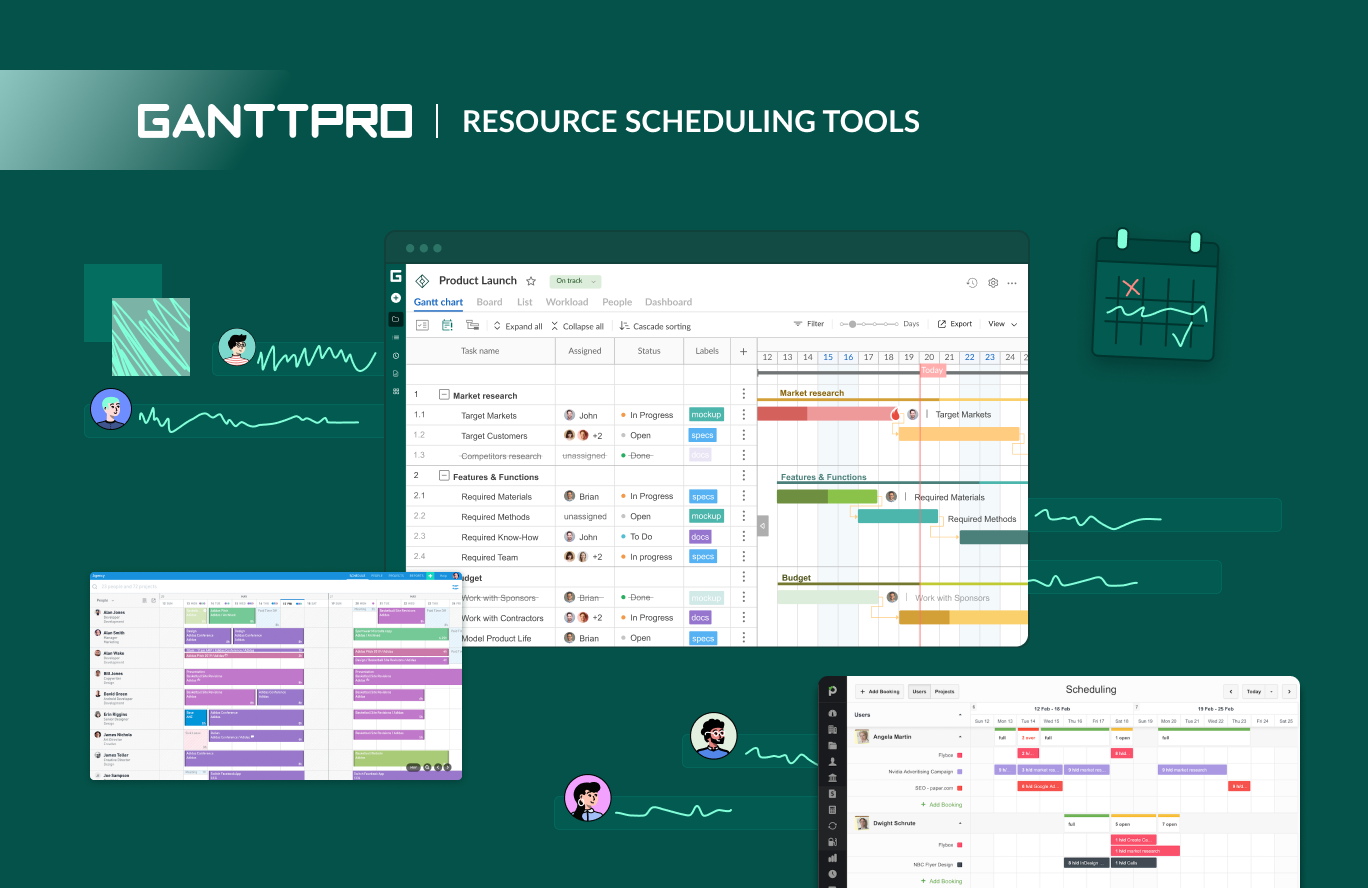
Not all scheduling tools suit all production teams.
In choosing a platform, the team ought to be guided by the following factors:
- Ease of use
- Collaboration features
- Task management options
- Connection with editing programs.
- Mobile accessibility
The most useful one is the one that would readily integrate into your workflow and not add to the levels of complexity in coordination.
A basic platform with additional functionality added over time is often the most effective with a small team.
12. The Future of Video Production Scheduling
Digital scheduling tools will further become a larger contributor to the production activities as remote collaboration becomes increasingly popular.
The cloud-based systems enable the teams to coordinate the projects between different cities or even countries.
The collaborative effort between the editors, producers, and directors is possible in real time without any confusion in terms of the timelines and task tracking.
This flexibility enables production teams to be more efficient and quicker than ever before.
13. Conclusion
The creation of a video is a complicated process that needs to be planned and coordinated. Lack of definite schedules will result in the chaotic and stressful nature of a project. Video project scheduling software assists the team in introducing structure to all the phases of production, from pre-production to the final delivery.
These tools enable production teams to work creatively instead of working in a chaotic manner by organizing tasks, monitoring deadlines, and enhancing collaboration. Regardless of whether you work as an individual or you belong to a large production facility, a scheduling system will significantly enhance your workflow.
Scheduling efficiency is no longer a luxury in the present-day hectic media industry. It is one of the important components of professional video production. As video projects grow larger, studios rely on media management solutions built for filmmakers to store, organize, and share production files securely across teams.
14. FAQs
What are the uses of video project scheduling tools?
They assist production teams in planning the tasks, managing schedules, tracking the progress, and organizing the working process during video production.
Is it possible to make scheduling tools useful to small video teams?
Yes. Scheduling platforms can help even small teams to be more organized, communicate, and to improve their productivity.
Do freelance video creators need any scheduling tools?
Although optional, it would provide freelancers with deadlines and project tracking, as well as allow them to have a more professional workflow.